

The lalal.ai vst plugin is aimed at producers who want AI stem separation inside a DAW instead of bouncing files out to a browser. That sounds convenient, but the real question is whether the in-session workflow is worth paying for when the LALAL.AI web app already exists.
Short verdict: the lalal.ai vst plugin makes the most sense if stem separation is part of your regular production workflow: remix prep, vocal extraction, drum isolation, content edits, or cleanup inside active sessions. If you only split a song occasionally, the web app may still be the simpler choice.
PRODUCT FACTS
| Officially verified item | What LALAL.AI states or shows |
|---|---|
| Plugin existence | LALAL.AI has a VST Plugin that runs locally inside your DAW. |
| Plugin purpose | The official plugin page describes AI stem separation for DAWs. |
| Stem outputs shown | Vocals, instrumental, drums, bass, piano, acoustic guitar, electric guitar, synth, string instruments, and wind instruments. |
| Core positioning | The homepage positions LALAL.AI as an AI vocal remover and instrumental isolator powered by AI and transformer technology. |
| Product suite | Vocal Remover, Stem Splitter, Voice Cleaner, Voice Changer, Voice Cloner, Echo & Reverb Remover, and Lead/Back Splitter. |
| Platforms listed | Desktop apps for Windows, macOS, and Linux; iOS for iPhone and iPad; Android for Android phones and tablets; integrations include VST Plugin and API. |
| Current promotion shown | “NEW MODEL LYNX” and “30% OFF ANNUAL PRO TILL 07/28/2026.” This should be treated as a time-limited promotional banner, not a permanent price. |
| Pricing note | The official pages referenced here do not expose exact plan prices, so check the live pricing page before purchase. |
Official website · Latest pricing & offers
What Is the LALAL.AI VST Plugin?
The lalal.ai vst plugin is an AI stem separation plugin designed to work inside a DAW. Instead of uploading audio to a browser, downloading the result, and dragging files back into your session, the plugin is positioned as an in-DAW tool for separating elements such as vocals, drums, bass, and instruments.
That matters because stem separation is rarely a one-step job in real production. You often need to audition, process, compare, mute, bounce, and blend extracted material with the rest of the project.
Quick verdict for producers
If you frequently make remixes, edits, mashups, social media versions, DJ tools, or reference-based productions, the lalal.ai vst plugin is worth serious consideration. It puts stem separation closer to where the creative decisions happen.
I would not treat it as a magic mix-repair tool. AI separation still depends heavily on the source file, arrangement density, mastering compression, and how exposed the target part is. The plugin is most useful when you see it as a fast production assistant, not a replacement for multitracks.
What the plugin actually does inside a DAW
The official plugin page describes AI stem separation for DAWs, and LALAL.AI states that its VST Plugin runs locally inside your DAW. In plain English, that means the tool is built for producers who want to separate audio while staying in a project session.
A typical use case would be pulling a vocal from a full mix, isolating drums for a remix sketch, or extracting bass so you can study or rebuild a groove. For engineers, it may help with editing references or creating guide tracks, though it should not be confused with clean access to original session stems.
How it differs from the web app
The biggest practical difference in the lalal.ai vs web app decision is workflow. The web app is likely better for occasional tasks where you are fine uploading a file, waiting, downloading stems, and importing them later.
The lalal.ai vst plugin is more appealing when you are already inside a DAW and want fewer context switches. If you are actively arranging, editing, or mixing, avoiding repeated browser export/import steps can keep you in the creative flow.
LALAL.AI VST Plugin Features and Stem Types
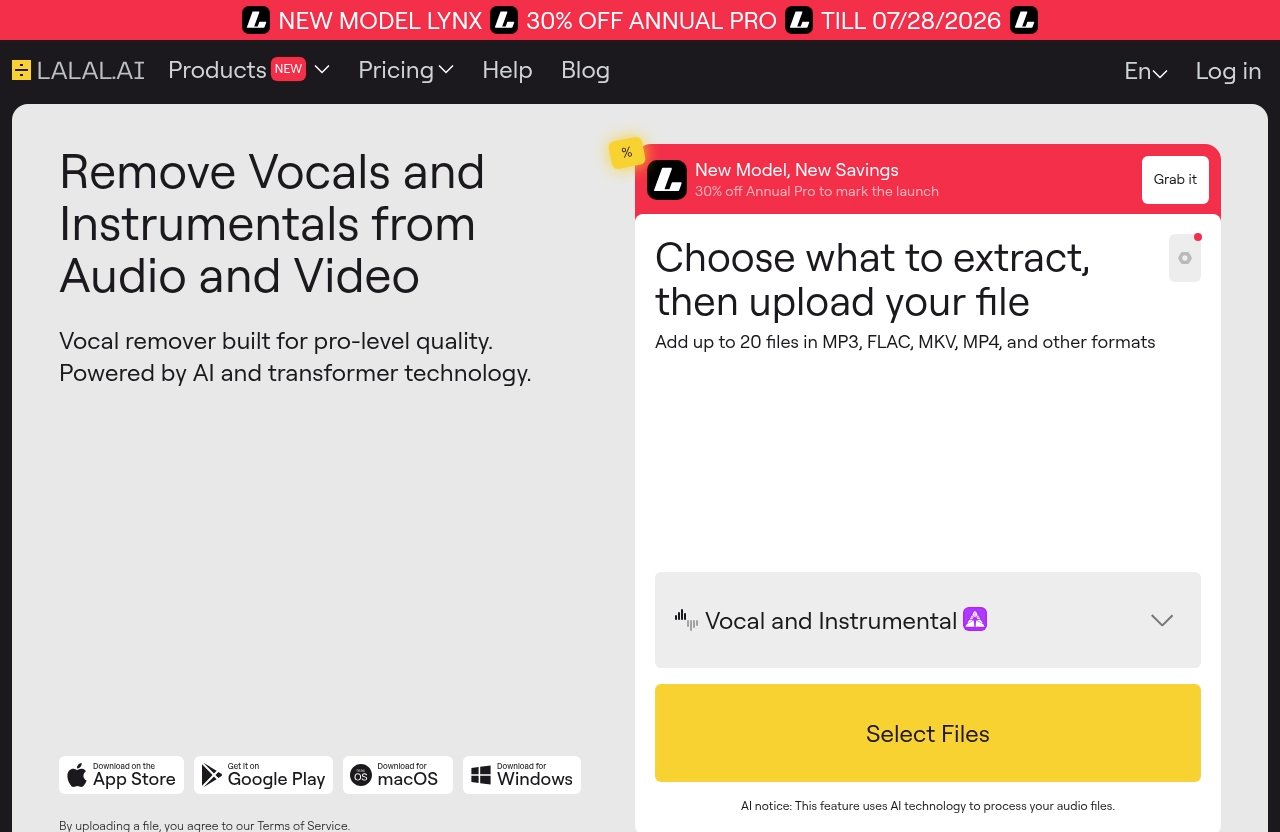
The core feature of the lalal.ai vst plugin is AI-powered stem separation inside a DAW environment. The official homepage positions LALAL.AI as a vocal remover and instrumental isolator powered by AI and transformer technology, while the plugin page focuses on AI stem separation for DAWs.
For this lalal.ai vst review, I’m keeping feature claims conservative. If a workflow detail, DAW list, latency figure, or price is not clearly shown on the official pages, it should be treated as something to verify before buying.
Supported stem separation outputs
Official product pages show these stem outputs:
| Stem type | Practical production use |
|---|---|
| Vocals | Acapellas, remix hooks, edit prep, dialogue-like cleanup experiments |
| Instrumental | Karaoke-style versions, backing tracks, vocal removal |
| Drums | Remix grooves, drum replacement guides, loop study |
| Bass | Bassline study, low-end reconstruction, remix arrangement |
| Piano | Harmonic reference, piano-led edits |
| Acoustic guitar | Arrangement isolation, cover/reference work |
| Electric guitar | Riff extraction, rock/indie remix prep |
| Synth | Electronic music analysis and remix sketches |
| String instruments | Score-style extraction, sampling ideas |
| Wind instruments | Jazz, orchestral, and band arrangement reference |
This list is broad enough for many beatmakers and content creators. Still, the quality of the separated results will vary depending on the source. A sparse acoustic track is a different problem from a loud, brickwalled master with stacked vocals, synths, guitars, and reverb.
Official feature highlights worth caring about
The main highlight is not just “AI separation.” It is separation inside the DAW. That is the reason the lalal.ai stem plugin exists as a workflow product rather than only a browser tool.
The official pages also show that LALAL.AI’s wider product suite includes Vocal Remover, Stem Splitter, Voice Cleaner, Voice Changer, Voice Cloner, Echo & Reverb Remover, and Lead/Back Splitter. Those are related tools, but you should not assume every web feature behaves identically inside the plugin unless LALAL.AI explicitly confirms it on the plugin page or documentation.
What the plugin does not replace
The lalal.ai vst plugin does not replace proper multitrack sessions. If you need clean, mix-ready stems for professional release work, original multitracks are still the gold standard.
It also does not replace critical listening. AI stem separation can leave artifacts: watery transients, phasey vocal edges, smeared cymbals, or low-end bleed. In practice, I would use the lalal.ai stem separation plugin as a creative and editing tool first, then decide whether the output is clean enough for final release.
Supported DAWs and Platform Compatibility
This is the area where buyers should be careful. The official plugin page says the VST Plugin runs locally inside your DAW, but the verified facts available here do not include a specific DAW compatibility list.
That means I would avoid assuming support for a named DAW unless LALAL.AI’s current plugin download page or documentation confirms it. Before purchasing, check the live official plugin page for plugin format, operating system requirements, and any DAW-specific notes.
Which DAWs the plugin is made for
The lalal.ai plugin daw positioning is clear: this is meant for DAW-based music production and audio editing. However, “VST Plugin” does not automatically guarantee identical behavior in every host.
If your workflow depends on a specific DAW, verify compatibility before you buy. Look for official installation notes, plugin format details, and any support documentation for your operating system.
What “runs locally inside your DAW” means
LALAL.AI states that the VST Plugin runs locally inside your DAW. For producers, the value is obvious: less file shuffling, fewer browser steps, and a more direct path from separation to editing.
However, “runs locally” should not be stretched into claims that are not officially confirmed. It strongly suggests local in-session operation, but it does not by itself prove every aspect of account access, authorization, model download, or updates works without internet. If true offline use is critical, test it directly before relying on it for client sessions.
Platform considerations for Windows, macOS, and Linux users
Official platforms listed by LALAL.AI include desktop apps for Windows, macOS, and Linux, plus iOS, Android, VST Plugin, and API integrations. That tells us LALAL.AI supports a broad platform ecosystem.
It does not, from the verified facts alone, tell us every operating system detail for the VST Plugin itself. Windows, macOS, and Linux users should check the official plugin download area for exact current support before committing money or planning a time-sensitive project around the lalal.ai plugin supported daw setup.
How the Workflow Works in Practice
The practical appeal of the lalal.ai vst plugin is simple: you can keep stem separation closer to the production timeline. That matters more than it sounds, especially when you are auditioning ideas quickly.
In a DAW-based workflow, even small interruptions add friction. Exporting a file, opening a browser, uploading, processing, downloading, importing, renaming, and lining up stems can interrupt momentum.
Typical plugin workflow from import to export
A realistic workflow might look like this:
- Bring a full mix or sample into your DAW.
- Insert the lalal.ai vst plugin where appropriate.
- Choose the stem type you want to separate.
- Process or render the result according to the plugin’s workflow.
- Bounce or commit the separated stem.
- Edit, EQ, gate, de-noise, chop, stretch, or arrange it in context.
Because I’m avoiding unverified specifics, I won’t claim the exact button names or processing sequence. But conceptually, this is the reason an ai vst plugin for stem separation can be more productive than a browser tool.
Best use cases in production sessions
The plugin is especially useful for producers who repeatedly ask, “What if I had just this part?” Maybe you want the vocal hook but not the beat, the drums but not the melody, or the instrumental without the lead vocal.
For beatmakers, the lalal.ai vst plugin can help with sample study and remix sketching. For remixers, it can speed up acapella and instrumental preparation. For content creators, it can help create cleaner audio assets for short-form edits, commentary, or background music adjustments.
When the web app may still be faster
The web app may still win for one-off jobs. If you just need to separate one file and you are not already working in a DAW, opening the browser version can be simpler.
The lalal.ai vs web app comparison comes down to repetition and context. If your destination is the DAW, the plugin reduces friction. If your destination is a folder of exported stems, the web app may be perfectly adequate.
Official website · Latest pricing & offers
Latency, Speed, and Offline Processing: Is It Good Enough?
This is where a skeptical review needs to slow down. I found no verified official latency numbers in the facts provided, so this article will not invent millisecond claims for lalal.ai plugin latency.
For stem separation, “latency” can mean two different things. There is real-time plugin latency, which matters for live monitoring, and there is workflow latency, which means how long it takes to get usable separated audio into your session.
What we can verify from the official product pages
The verified statement is that the lalal.ai vst plugin runs locally inside your DAW. That is the key official fact.
We can also verify that LALAL.AI positions its technology around AI vocal removal, instrumental isolation, stem splitting, and transformer technology. But the official facts provided do not include benchmark times, CPU usage, GPU requirements, buffer behavior, or offline authorization details.
What offline/local processing likely improves
Local DAW operation likely improves workflow convenience. You are not constantly leaving your session to manage browser uploads and downloads.
It may also be attractive for privacy-sensitive work, because local processing generally feels more controlled than sending files through a browser. Still, because “runs locally” is the verified phrase, I would not overclaim full lalal.ai offline stem separation behavior unless LALAL.AI explicitly confirms the exact offline conditions.
Where producers should still test before buying
If you plan to use the lalal.ai vst plugin in real-time production, test it on your own machine. Session size, sample rate, buffer settings, CPU load, source length, and DAW behavior can all affect the experience.
This is especially important for engineers working under deadlines. I would not install any AI separation plugin for the first time during a paid session and assume it will behave perfectly.
Pricing and Value: Plugin vs Web App
The official pages referenced here show a time-limited promotional banner reading “NEW MODEL LYNX” and “30% OFF ANNUAL PRO TILL 07/28/2026.” Treat that as a current promotion, not a permanent price.
The verified pricing information available in this prompt does not expose exact plan amounts or plugin-specific pricing. Before buying the lalal.ai vst plugin, check the live LALAL.AI pricing page and confirm what is included in the plan you are considering.
How to think about buying value
Value depends less on the headline price and more on how often you separate stems. If you split audio every week, the time saved by in-DAW processing can add up quickly.
If you only need a vocal remover once every few months, the web app may deliver enough convenience. For readers who want to compare current plans directly, you can review LALAL.AI through this affiliate link: try or buy LALAL.AI here. Use it as a purchase route, not as proof that the plugin is right for you.
Which users will benefit most from the plugin
The lalal.ai vst plugin is strongest for users who repeatedly work inside a DAW and need stem separation as part of the creative process. That includes remixers, beatmakers, DJs making edits, producers doing reference analysis, and content creators preparing audio variations.
It also makes sense for engineers who often need quick guide stems. Just keep expectations realistic: guide stems are not the same as original isolated tracks.
Who should stick with the web app
Stick with the web app if you do not use a DAW often, prefer browser workflows, or only separate stems occasionally. The web app also makes sense if your main need is simple vocal or instrumental extraction without deeper session integration.
The plugin is about workflow speed and creative iteration. If those do not matter to you, the lalal.ai plugin worth it argument becomes weaker.
Pros, Cons, and Real-World Buying Verdict
The lalal.ai vst plugin is not hard to understand: it brings LALAL.AI’s stem separation concept into the DAW. The harder question is whether that changes your actual production life enough to justify paying for it.
For many producers, the answer will be yes. For occasional users, probably not.
Biggest advantages for producers
The main advantage is fewer workflow breaks. When you can separate, audition, edit, and arrange stems inside the same environment, you make decisions faster.
The second advantage is creative iteration. You can test whether a vocal, drum stem, bassline, or instrumental bed works in your track without committing to a long browser-based round trip.
Potential downsides and limitations
The biggest limitation is uncertainty around exact compatibility, latency, and pricing unless you verify them on the current official pages. A VST label is useful, but your specific DAW, OS, and workflow still matter.
The other limitation is the nature of AI separation itself. Even a good lalal.ai stem separation plugin cannot guarantee artifact-free results from every master. Dense arrangements, heavy reverb, layered vocals, and distorted mixes are still challenging.
Final verdict: worth it or not
The lalal.ai vst plugin is worth considering if stem separation is part of your regular DAW workflow. It is especially compelling for remix prep, fast acapella creation, instrumental isolation, drum or bass referencing, and content edits where speed matters.
I would skip it if you only need occasional separations or if you are not comfortable verifying DAW support before buying. In that case, the web app remains the safer and simpler route. Overall, this is a practical tool with a clear audience, but not something I would buy blindly without testing it in my actual DAW setup.
How to Get the Best Results with LALAL.AI VST Plugin
The quality of the lalal.ai vst plugin output depends heavily on the input file. Better sources generally give the algorithm a better chance.
Think like an engineer: feed it clean audio, avoid unnecessary processing before separation, and judge the result in context rather than soloing artifacts obsessively.
Source material tips
Use the highest-quality source you legally have access to. Avoid low-bitrate rips, noisy recordings, clipped files, or versions with excessive compression if a cleaner version is available.
Sparse arrangements usually separate more cleanly than dense mixes. A vocal over minimal production is easier than a vocal buried under guitars, synths, cymbals, delay, and backing layers.
Workflow tips for cleaner stems
After separation, do not expect the stem to be mix-ready. Use EQ, fades, transient shaping, gating, de-clicking, or light noise reduction as needed.
For remix work, artifacts often become less noticeable once the stem sits inside a new arrangement. The lalal.ai vst plugin is often most effective when you use the separated result creatively rather than treating it as a perfect forensic extraction.
When to use the plugin versus the standalone app
Use the plugin when you are already producing in a DAW and want to audition separated material in context. That is where the in-DAW workflow has the clearest advantage.
Use the standalone or web workflow when you are batch-preparing files, doing a quick one-off extraction, or do not need immediate DAW integration. If you are undecided, compare both workflows before committing: visit LALAL.AI and check the current options.
Official website · Latest pricing & offers
FAQ
Does the LALAL.AI VST plugin work offline?
The official wording says the VST Plugin runs locally inside your DAW. That supports the idea of local in-session processing, but it does not automatically prove every part of the experience works fully offline.
If offline use is essential, test authorization, model access, and processing without an internet connection before relying on it professionally.
Which stems can the LALAL.AI VST plugin separate?
Official product pages show vocals, instrumental, drums, bass, piano, acoustic guitar, electric guitar, synth, string instruments, and wind instruments.
As with any AI separation tool, results will depend on the source mix and how isolated the target sound is.
Is the plugin better than the web app?
The lalal.ai vst plugin is better for in-DAW convenience, faster iteration, and production sessions where you want to keep working without browser upload/download steps.
The web app may be better for occasional users, simple one-off separations, or people who do not want to manage plugin compatibility.
What DAWs are supported?
The official plugin page describes a VST Plugin for DAWs, but the verified facts provided here do not include a specific DAW list.
Before buying, check the current LALAL.AI plugin page, download notes, or support documentation for your exact DAW, operating system, and plugin format requirements.
Is LALAL.AI VST plugin worth buying for producers?
Yes, if you frequently separate stems for remixing, beatmaking, editing, reference work, or content production inside a DAW. The lalal.ai vst plugin is mainly valuable because it keeps the work close to the session.
If you only need stem separation occasionally, start with the web app and compare the workflow before buying. The honest recommendation is to test it with your own material, in your own DAW, before making it part of your paid production process.