
If you are searching for the best stem isolator, you probably do not just want a simple vocal remover. You want cleaner acapellas, usable instrumentals, separated drums or bass, fewer watery artifacts, and a workflow that does not slow down your production, remixing, karaoke, podcast, or DJ prep.
In 2026, stem separation is much better than it used to be, but it is not magic. The right tool depends on your source track, your tolerance for artifacts, your preferred workflow, and whether you need browser convenience, DAW integration, mobile access, or developer-level automation.
This guide compares the main categories of stem separation tools and explains where LALAL.AI fits as a strong all-around option for creators who want fast, flexible, AI-powered stem isolation.
Official website · Latest pricing & offers
What “best stem isolator” means in 2026
The phrase best stem isolator has become a popular way to describe tools that separate mixed audio into individual parts. In practice, people use it to mean several related things: vocal isolation, instrumental extraction, drum separation, bass separation, and full multi-stem splitting.
A good tool in 2026 should be more than a one-click gimmick. The best options help you get usable results quickly while giving you enough flexibility to handle different audio sources.
Stem isolator vs stem splitter vs vocal remover
A stem isolator usually refers to software that pulls one part out of a finished mix, such as vocals, drums, bass, or guitar. A stem splitter often means the same thing, but it may imply separating a song into multiple stems at once.
A vocal remover is narrower. It focuses on removing or extracting vocals from a track, often to create instrumentals, karaoke versions, or acapellas.
Here is the practical difference:
| Term | What it usually means | Best for |
|---|---|---|
| Stem isolator | Isolates one or more musical elements | Producers, remixers, editors |
| Stem splitter | Splits a full mix into multiple stems | DJs, remixers, mashup creators |
| Vocal remover | Removes or extracts vocals | Karaoke, acapellas, backing tracks |
| Audio splitter software | General term for separating audio parts | Broad creative and technical workflows |
The best stem isolator for you may be a browser tool, a desktop app, a DAW plugin, or even an API depending on how you work.
What users actually want: clean separation, speed, and low artifacts
Most users are not comparing stem separation tools for fun. They want a usable output.
That means clean vocals with less instrumental bleed, instrumentals that do not sound hollow, and drum or bass stems that retain enough punch to be useful. Even the best stem separation software can leave artifacts, especially with dense mixes, heavy reverb, layered vocals, distortion, or low-quality source files.
In real-world use, the best stem isolator is the one that gives you a good result on your actual material, not just a perfect demo track. Always test your own songs, podcast clips, or reference files before committing to a workflow.
Who this guide is for: producers, DJs, remixers, podcasters, and karaoke creators
This guide is written for general-to-intermediate users who need practical answers, not academic model comparisons.
You may be:
- A producer extracting a vocal for a remix.
- A DJ preparing stems for mashups or transitions.
- A content creator removing vocals from background music.
- A podcaster cleaning dialogue or reducing room effects.
- A karaoke creator making instrumental versions.
- A developer looking for API-based stem separation.
For these users, the best stem isolator is not only about raw separation quality. It is also about speed, platform support, export convenience, and whether the tool fits the way you already work.
How we judged the best stem isolators
Choosing the best stem isolator in 2026 requires more than asking which tool sounds “best” on one song. Stem separation results vary by source track, genre, mix density, mastering, vocal effects, and file quality.
For this guide, the evaluation is based on practical buying criteria, official product facts where available, and publicly observable product positioning. We are not inventing private benchmark scores or claiming universal superiority.
Separation quality and artifact control
Separation quality is the first thing most users notice. Good stem separation should reduce bleed between sources and avoid obvious metallic, phasey, watery, or warbling artifacts.
However, no stem separation software is perfect. A vocal recorded with heavy reverb may leave ambience behind. A guitar and vocal occupying the same frequency range may partially smear together. A mastered EDM track can be harder to split cleanly than a sparse acoustic recording.
The best stem isolator should give you results that are usable in context, not necessarily perfectly soloed under a microscope.
Number of supported stems and source material types
Some tools only remove vocals. Others split vocals, instrumental, drums, bass, and additional instruments.
LALAL.AI’s officially listed Stem Splitter supports extraction of vocals, instrumental, drums, bass, guitar, synth, string, and wind instruments. That matters if your work goes beyond basic karaoke or acapella creation.
For remixing, production, and content work, a broader set of supported stems usually makes an audio splitter software more useful over time.
Workflow: browser, desktop, DAW plugin, mobile
Workflow is where many tools separate themselves. A browser-based stem isolator is convenient for quick jobs. A desktop app may suit batch work or regular production sessions. A DAW plugin is attractive if you want stem separation inside your existing music software.
LALAL.AI officially offers Desktop apps for Windows, macOS, and Linux; iOS apps for iPhone and iPad; Android apps for phones and tablets; a VST Plugin that runs locally inside your DAW; and an API for developers.
That combination makes it relevant for users who want the best stem isolator across more than one working environment.
Speed, ease of use, and export options
Speed matters, especially if you are preparing multiple tracks for a DJ set, batch-processing podcast material, or testing several versions of a remix idea.
Ease of use matters too. A powerful tool that requires too much setup may not be the best choice for casual users. On the other hand, advanced users may accept extra complexity if they gain more control.
When comparing stem separation tools, ask:
- How quickly can I upload or load a file?
- Can I preview results?
- Can I export the stems I need?
- Does the tool work where I actually produce or edit?
- Is the interface simple enough for repeated use?
Value for money and plan flexibility
Value is not only about the cheapest option. The best stem isolator for frequent creators may be the one that saves time, supports more stems, and works across devices.
Free or open-source routes can be excellent for technical users, but they may require setup, local processing, and model selection. Commercial tools often trade some control for convenience, support, and a smoother user experience.
Methodology note
This article uses a buyer-focused methodology:
- Official product facts are used for LALAL.AI feature and platform claims.
- General category analysis is used for other tool types.
- No unverified benchmark scores, exact pricing, or unsupported performance claims are included.
- Readers should test tools with their own files because stem separation 2026 results vary by source material.
Quick comparison: the best stem isolators in 2026
The best stem isolator depends on your use case. Instead of pretending one tool wins every situation, it is more useful to compare categories.
| Category | Best fit | Strengths | Trade-offs |
|---|---|---|---|
| LALAL.AI-style AI stem isolation | Most creators needing fast, flexible separation | Multiple stem types, browser-style convenience, desktop/mobile apps, VST, API | Results still vary by track |
| DAW-native plugin workflow | Producers who live inside a DAW | Keeps work inside production sessions | May be less convenient for casual users |
| Free/open-source stem separation | Technical users and budget-conscious creators | No or low software cost, local experimentation | Setup, hardware, and model choice can be harder |
| Mobile-first tools | Casual users, karaoke makers, quick social content | Fast on-phone access | May offer less advanced control |
| Restoration-focused audio suites | Dialogue cleanup, forensic-style repair, post-production | Deep editing and repair tools | Often more complex and may exceed simple stem needs |
Best overall for clean, fast separation
For many users, the best stem isolator is the one that balances clean results, speed, and platform flexibility. LALAL.AI is a strong candidate here because its official positioning covers AI vocal removal, instrumental isolation, and multi-stem extraction.
It is particularly appealing if you want a practical tool rather than a technical project. You upload or process audio, choose the stem target, and move toward a usable result without building a local machine-learning workflow yourself.
Best for DAW users
For producers, the best stem splitter plugin is often the one that fits directly into an existing DAW session. This can reduce bouncing, exporting, and switching between apps.
LALAL.AI officially offers a VST Plugin that runs locally inside your DAW. That makes it relevant for producers who want stem separation closer to their actual production workflow.
DAW users should still test results in context. A vocal stem that sounds imperfect when soloed may work beautifully inside a remix once effects, arrangement, and mixing are applied.
Best free or open-source option
A free or open-source workflow can be a good route if you are comfortable with setup, model selection, and local processing. This is often where people search for stem separation software free options.
The trade-off is convenience. You may spend more time installing tools, choosing models, adjusting settings, or troubleshooting performance. For technical users, that can be worthwhile. For casual users, a commercial stem isolator may save time.
Best for mobile users
Mobile access matters for karaoke creators, content creators, and quick social media workflows. If you want to separate vocals or create an instrumental from a phone or tablet, mobile support becomes a major buying factor.
LALAL.AI officially offers iOS apps for iPhone and iPad and Android apps for phones and tablets. That gives it an advantage for users who do not want to be tied to a desktop.
Best for advanced editing and restoration
Some users need more than stem extraction. They may need spectral editing, repair tools, noise reduction, dialogue cleanup, or restoration workflows.
For these cases, a dedicated audio restoration suite may be better than a simple stem separator. However, if your primary need is separating vocals, instruments, or musical stems, the best stem isolator may still be a specialized AI stem separation tool rather than a full post-production suite.
Why LALAL.AI stands out for stem isolation
LALAL.AI stands out because it is not positioned as only a basic vocal remover. Officially, it is an AI vocal remover and instrumental isolator powered by AI and transformer technology, with tools that cover music stems, voice cleanup, vocal workflows, and integration options.
For someone comparing the best stem isolator options in 2026, that combination is important. It means LALAL.AI is not limited to one narrow use case.
Powered by AI and transformer technology
LALAL.AI is officially described as being powered by AI and transformer technology. In plain English, that means it uses modern machine-learning approaches to identify and separate elements inside a mixed audio file.
This does not guarantee perfect results on every track. Dense arrangements, heavy effects, and poor source quality can still challenge any stem separation tool.
But for commercial investigation, the key point is that LALAL.AI is built around modern AI-based separation rather than older phase-cancellation-style vocal removal. That makes it a more serious candidate for anyone seeking the best stem isolator for practical creative work.
Extract vocals, instrumental, drums, bass, guitar, synth, string, and wind instruments
The official LALAL.AI Stem Splitter extracts vocals, instrumental, drums, bass, guitar, synth, string, and wind instruments.
That wide stem list makes it useful for several workflows:
- Producers can pull vocals, drums, bass, or instrumental beds for remix ideas.
- DJs can prepare elements for edits, mashups, and transitions.
- Karaoke creators can create instrumental versions.
- Musicians can study parts inside a finished recording.
- Content creators can separate background music and voice elements where appropriate.
If you are comparing the best stem splitter options, supported stem variety should be near the top of your checklist.
Lead/Back Splitter for separating lead and backing vocals
LALAL.AI officially includes Lead/Back Splitter, which separates lead and backing vocals.
This is a useful distinction because vocal work is not always just “vocal versus instrumental.” Backing vocals, harmonies, doubles, and ad-libs can affect remixing, karaoke creation, and vocal editing.
A Lead/Back Splitter can help users who want more control over vocal layers. For creators working with dense pop, rock, gospel, or layered vocal arrangements, this can be more useful than a basic vocal remover.
Voice Cleaner, Echo & Reverb Remover, Voice Changer, and Voice Cloner for adjacent workflows
LALAL.AI officially offers Voice Cleaner, Voice Changer, Voice Cloner, Echo & Reverb Remover, and Lead/Back Splitter.
These tools matter because real audio work often extends beyond a single stem extraction. A podcaster may need voice cleanup. A creator may want to reduce echo or reverb. A musician may want to separate lead and backing vocals before editing.
That broader ecosystem is one reason LALAL.AI belongs in a conversation about the best stem isolator rather than only best vocal remover tools. It supports adjacent workflows that many creators actually need.
Official website · Latest pricing & offers
LALAL.AI pricing and plans
Pricing is an important part of choosing the best stem isolator, but it is also an area where accuracy matters. The available official pricing-page extract for this article does not include complete plan names, exact prices, or full tier details.
For that reason, this section avoids invented pricing claims. If you are considering LALAL.AI, check the official live pricing information before buying because promotions and plan details can change.
PRODUCT FACTS: verified plans and prices
Based on the provided official pricing-page facts, no full set of plan names, exact prices, or complete tier details is visible in the extract.
That means it would be misleading to list specific plan prices here. A commercially useful review should be transparent when pricing data is incomplete rather than filling gaps with guesses.
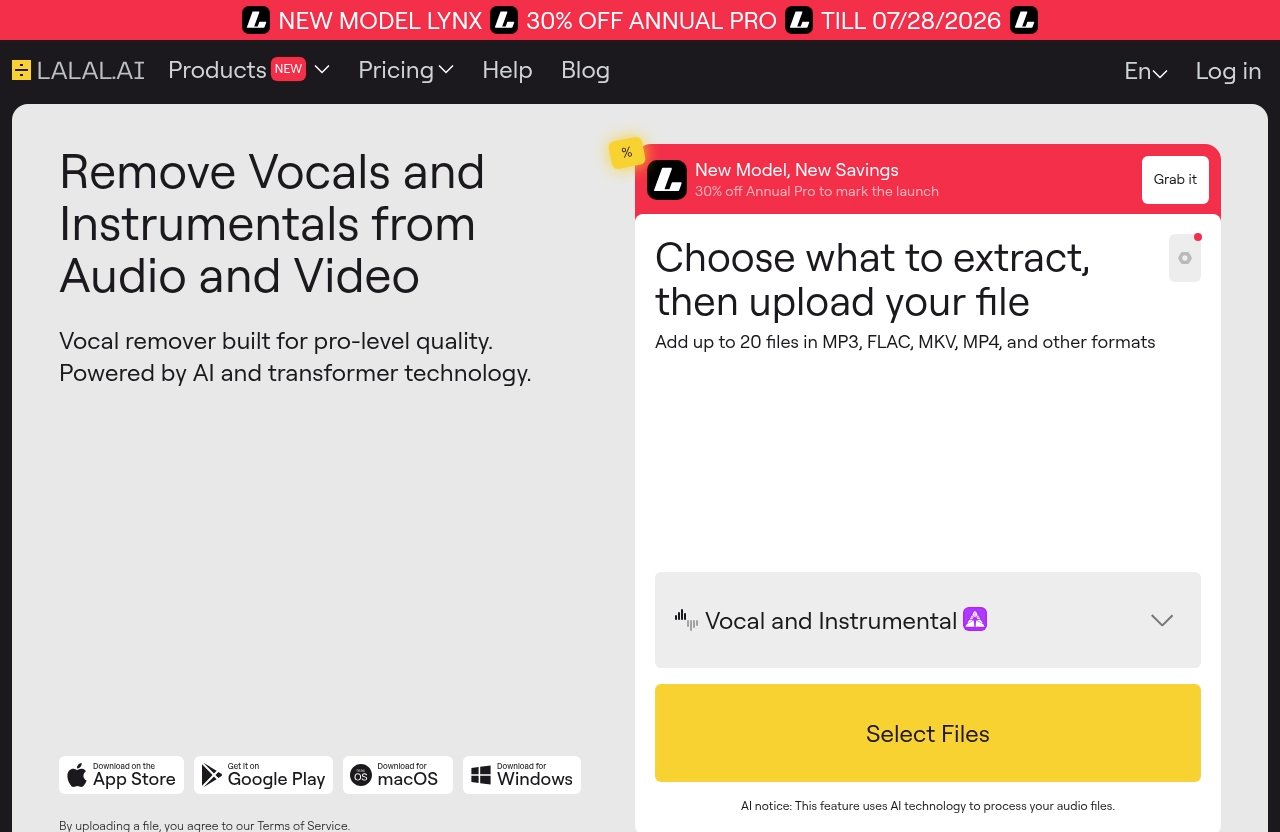
The verified pricing-related fact is that the pricing page shows a promotional banner reading “NEW MODEL LYNX” and “30% OFF ANNUAL PRO TILL 07/28/2026.”
What the pricing page officially says
As of the provided official pricing-page information, the visible promotional banner says:
| Verified pricing-page item | What is officially visible |
|---|---|
| Promotional model banner | “NEW MODEL LYNX” |
| Annual Pro promotion | “30% OFF ANNUAL PRO TILL 07/28/2026” |
| Complete plan names | Not provided in the extract |
| Exact prices | Not provided in the extract |
| Full tier details | Not provided in the extract |
If you want the latest live plan details, start from the official LALAL.AI site and verify the current pricing page before purchase.
How to think about value for occasional vs frequent users
Occasional users should think in terms of convenience and output quality. If you only need a few karaoke tracks, acapellas, or podcast cleanups, the best value may be the tool that gets the job done with the least friction.
Frequent users should evaluate workflow fit more deeply. If you regularly separate stems, the value of desktop access, mobile apps, a DAW plugin, broad stem support, and API availability may outweigh simply looking for the cheapest option.
For many creators, the best stem isolator is the one that saves the most time while producing files that are good enough for the final use.
When LALAL.AI is the best pick
LALAL.AI is not the only stem separation software available, but it is one of the more compelling all-around choices for users who want a polished, multi-platform workflow.
It is especially strong when your goal is to isolate vocals, instrumentals, drums, bass, guitar, synth, strings, or wind instruments without building a technical setup from scratch.
You need clean vocal/instrument separation quickly
If your main goal is fast vocal or instrumental isolation, LALAL.AI is a strong fit. It is officially positioned as an AI vocal remover and instrumental isolator, which directly matches the needs of people searching for a vocal remover, best stem splitter, or general audio splitter software.
This is useful for karaoke tracks, acapellas, remix demos, practice materials, and content workflows. Just remember that source quality still matters, and you should test the tool on your own material.
You want browser, desktop, iOS, Android, plugin, or API flexibility
Workflow flexibility is one of LALAL.AI’s clearest verified strengths. Officially, it offers Desktop apps for Windows, macOS, and Linux; iOS apps for iPhone and iPad; Android apps for phones and tablets; a VST Plugin that runs locally inside your DAW; and an API for developers.
That is a broad platform spread. If you work across multiple devices or need stem separation in different contexts, this flexibility can make LALAL.AI feel like the best stem isolator for day-to-day use.
You create karaoke tracks, acapellas, remixes, or podcast cleanups
LALAL.AI fits several practical creator workflows:
| Use case | Why LALAL.AI may fit |
|---|---|
| Karaoke creation | Vocal removal and instrumental isolation |
| Acapella extraction | Vocal stem extraction |
| Remixing | Vocals, drums, bass, guitar, synth, and other stems |
| Podcast cleanup | Voice Cleaner and Echo & Reverb Remover |
| Vocal editing | Lead/Back Splitter for lead and backing vocals |
| Developer workflows | API availability |
If your work crosses more than one of these categories, LALAL.AI becomes more attractive than a tool that only removes vocals.
You can explore it through the official site here: LALAL.AI.
When another tool may be better
A fair guide to the best stem isolator should also explain when LALAL.AI may not be the perfect fit. No stem separation tool is ideal for every user, every track, or every workflow.
The right choice depends on budget, technical comfort, editing depth, and whether you prioritize convenience or control.
If you want a free/open-source workflow
If your main priority is cost, a free or open-source route may be better. Many technically comfortable users enjoy experimenting with local stem separation tools and model options.
The downside is setup friction. You may need to manage installation, hardware performance, updates, and model selection. If you enjoy that process, it can be rewarding. If you just want quick stems, a commercial stem isolator is usually easier.
If you need deep DAW-native editing
Some producers prefer tools that are deeply integrated into a specific DAW or editing environment. They may want advanced routing, clip-level workflows, or highly detailed production controls.
LALAL.AI’s official VST Plugin is useful for DAW workflows, but users who need highly specialized DAW-native editing should compare how any plugin fits their exact production process.
The best stem isolator for a professional studio may be different from the best option for a DJ, podcaster, or karaoke creator.
If you prioritize restoration over simple stem extraction
If your main job is restoration, not music stem splitting, you may need a dedicated audio repair suite. Restoration can include spectral editing, hum removal, clipping repair, dialogue matching, forensic cleanup, or broadcast post-production tools.
LALAL.AI does offer Voice Cleaner and Echo & Reverb Remover, according to official facts. Still, users who need deep restoration should compare dedicated restoration platforms as well as stem separation tools.
How to choose the right stem isolator for your use case
The best buying decision starts with your actual use case. Do not choose the best stem isolator based only on a generic ranking. Choose based on what you need to create, how often you work, and where the tool fits in your workflow.
A casual karaoke user, a club DJ, and a film dialogue editor may all need different tools.
For producers and remixers
Producers and remixers should prioritize stem quality, supported stem variety, and DAW workflow.
Look for:
- Vocal and instrumental separation.
- Drums, bass, guitar, synth, and other instrument stems.
- Low artifact output.
- DAW plugin support if you produce inside a DAW.
- Fast export for testing remix ideas.
LALAL.AI is a strong fit here because its official Stem Splitter covers vocals, instrumental, drums, bass, guitar, synth, string, and wind instruments, and it offers a VST Plugin.
For DJs and live performance
DJs should think about preparation speed, consistency, and whether stems are good enough for live context. A stem does not always need to sound perfect when soloed if it works well inside a transition, mashup, or live edit.
The best stem isolator for DJs should make it easy to prepare multiple tracks without a complicated process. Desktop and mobile access can also be useful for last-minute edits or set preparation.
Test tracks at club volume if possible. Artifacts that seem minor on headphones may become more obvious on a large sound system.
For podcasters and voice cleanup
Podcasters should focus less on multi-instrument separation and more on speech clarity. Voice cleanup, echo control, and reverb reduction may matter more than drums or bass extraction.
LALAL.AI officially includes Voice Cleaner and Echo & Reverb Remover, which makes it relevant for podcast and spoken-word workflows. However, if you need advanced post-production restoration, compare dedicated audio repair tools too.
The best audio splitter software for podcasters is the one that improves intelligibility without making the voice sound unnatural.
For casual users making karaoke or acapellas
Casual users should prioritize simplicity. If you want to create a karaoke version or pull an acapella, you probably do not want to configure models, install dependencies, or manage complex settings.
A practical best stem isolator for casual use should be fast, easy, and available on the device you already use. LALAL.AI’s browser-style positioning plus desktop and mobile app availability makes it attractive for this audience.
Still, test more than one song. Some tracks separate cleanly, while others may retain backing vocals, reverb, or instrument bleed.
Official website · Latest pricing & offers
FAQ
What is the most powerful vocal remover?
The most powerful vocal remover depends on what you mean by “powerful.” For most users, power means clean vocal extraction, low instrumental bleed, minimal artifacts, fast processing, and a workflow that fits their device or DAW.
LALAL.AI is officially positioned as an AI vocal remover and instrumental isolator powered by AI and transformer technology. That makes it a strong option to test if you want a modern, commercially polished vocal remover rather than a basic vocal cancellation tool.
What is the best way to isolate vocals?
The best way to isolate vocals is to start with a high-quality source file, use a dedicated stem separation tool, and compare the output on your own material. Avoid judging only by demo examples.
For best results, use the cleanest available version of the song, avoid overly compressed or noisy files when possible, and listen for bleed, reverb tails, and artifacts. The best stem isolator for one track may not be the best for another, so testing matters.
What is the best ultimate vocal remover model?
There is no single universal “best” ultimate vocal remover model for every song, voice, genre, or mix. Model names and performance vary by tool, and results depend heavily on the source material.
Instead of chasing one model name, evaluate the result: clean vocals, low backing-track bleed, natural tone, and minimal warbling. If you use open-source or advanced tools, compare several models on the same file before choosing.
What is the best audio splitter software?
The best audio splitter software depends on your workflow. Browser-based tools are convenient, DAW plugins suit producers, mobile apps help casual creators, and advanced suites may be better for restoration.
For a versatile all-around option, LALAL.AI is easy to recommend testing because it officially supports AI vocal and instrumental isolation, multiple stem types, desktop and mobile apps, a VST Plugin, and an API.
Final verdict: the best stem isolator in 2026
The best stem isolator in 2026 is the one that gives you usable separation on your own audio while fitting the way you work. For most creators, that means balancing quality, speed, supported stems, platform flexibility, and value.
LALAL.AI stands out as a strong all-around recommendation because its verified strengths line up with what producers, DJs, remixers, podcasters, karaoke users, and developers commonly need: AI/transformer-powered separation, multiple stem types, lead/back vocal splitting, voice-related cleanup tools, desktop and mobile apps, a VST Plugin, and an API.
Best overall
For the broadest range of creators, LALAL.AI is one of the most practical candidates for the best stem isolator because it combines stem variety with flexible access across platforms.
It is especially compelling if you want one ecosystem for vocal removal, instrumental isolation, multi-stem extraction, and adjacent voice tools.
Best for LALAL.AI users
LALAL.AI is best for users who value speed, convenience, and workflow flexibility. It fits people who want to separate stems without managing a complex open-source setup.
It is also well suited to creators who move between desktop, mobile, DAW, and development workflows.
Best budget/free route
The best budget route is a free or open-source stem separation workflow if you are comfortable with setup and experimentation.
This can be powerful, but it is less convenient for users who simply want quick, repeatable results.
Best advanced route
The best advanced route depends on your specialty. Producers may prefer DAW-centered workflows, developers may prioritize API access, and restoration professionals may need dedicated repair suites.
For most readers comparing the best stem isolator options in 2026, the smartest move is to test LALAL.AI on your own tracks and compare the output against your actual needs. If you want clean stem isolation plus broad workflow flexibility, LALAL.AI is a strong all-around choice.