
If you have ever tried to make a karaoke version of a song and still heard ghostly bits of the lead vocal, you have run into vocal bleed. That is the leftover voice that remains after vocal removal, and it is the main quality issue in AI-made karaoke tracks.
The good news: LALAL.AI karaoke creation is fast when you use the right source file, preview the separation, and choose the best stem workflow before exporting. LALAL.AI AI Vocal Remover & Instrumental Isolator is built to remove vocals and instrumentals from music tracks, audio clips, or video, making it a practical option for musicians, karaoke fans, creators, and producers who need a clean instrumental without spending hours editing.
Official website · Latest pricing & offers
What LALAL.AI Does for Karaoke Tracks
LALAL.AI karaoke workflows are based on AI stem separation. Instead of manually EQ-cutting the vocal range, you upload a song and let the tool separate the vocal from the instrumental.
For karaoke, the usual goal is simple: remove vocals from song audio while keeping the backing track as intact as possible. That makes LALAL.AI useful as a karaoke maker online, especially when you need an instrumental quickly for practice, rehearsal, content creation, or a private sing-along.
Why Vocal Removal Is Enough For Most LALAL.AI Karaoke Use Cases
For most users, the lalal ai vocal remover is the fastest path. You upload the song, choose vocal removal, preview the output, and export the instrumental if it sounds clean enough.
This works well when the song has a fairly centered lead vocal and a clean studio mix. In those cases, LALAL.AI karaoke output can be ready in minutes, especially if your source file is high quality.
Vocal removal is usually enough for:
- Home karaoke tracks
- Vocal practice
- Rehearsal instrumentals
- Social media singing clips
- Demo preparation
- Quick cover song arrangements
The tradeoff is that any AI vocal remover can leave artifacts. You may hear faint consonants, reverb tails, doubled vocal textures, or background vocal fragments, depending on the mix.
When To Use Vocal Remover Vs Stem Splitter
Use Vocal Remover when your goal is a straightforward lalal ai instrumental version. It is designed to remove vocals and instrumentals from music tracks, audio clips, or video, so it fits most karaoke track creation needs.
Use Stem Splitter when you need more control. LALAL.AI Stem Splitter can extract vocals, instrumental, drums, bass, guitar, synth, string, and wind instruments. That matters if the “instrumental” result has issues and you want to inspect the mix more carefully.
Here is a practical way to decide:
| Goal | Best LALAL.AI Tool |
|---|---|
| Make a quick karaoke instrumental | Vocal Remover |
| Separate lead vocal from full backing track | Vocal Remover |
| Inspect drums, bass, guitar, synth, strings, or winds | Stem Splitter |
| Prepare stems for remixing or arrangement | Stem Splitter |
| Clean noisy speech or vocal audio | Voice Cleaner |
For most LALAL.AI karaoke jobs, start with Vocal Remover first. Only move to Stem Splitter if the song is complex or you need more detailed control.
What ‘Vocal Bleed’ Means In AI Separation
Vocal bleed is the part of the vocal that remains in the instrumental after separation. It can sound like a faint lead vocal, a whisper, a reverb tail, or a phasey artifact sitting behind the music.
This happens because vocals often share frequencies with guitars, synths, snares, and reverb. If the original mix has doubled vocals, wide harmonies, heavy compression, or effects printed into the instrumental space, even a strong instrumental track maker has to make tradeoffs.
The key to better LALAL.AI karaoke results is not just “remove the vocal.” It is choosing a clean source, previewing the output, and using the right tool for the problem.
Best LALAL.AI Setup For Karaoke Quality
A clean setup starts before you upload anything. The better the source, the better your chance of vocal bleed reduction.
In my own workflow, I treat AI separation like mastering or restoration: the input matters. A low-bitrate file, clipped recording, or noisy live version gives the AI less clean information to separate.
Choose The Right Input File Type
Start with the cleanest version of the song you legally have access to. A high-quality studio recording will usually separate better than a phone recording, ripped stream, or heavily compressed file.
For LALAL.AI karaoke creation, avoid sources that already sound distorted, swishy, or low-resolution. Compression artifacts can be mistaken for musical content, which may increase vocal bleed or create watery textures in the instrumental.
Good source habits:
- Use a clean studio version when possible
- Avoid low-bitrate audio
- Avoid files with clipping or obvious distortion
- Avoid live recordings unless you specifically need that version
- Use the same source consistently when comparing previews
The source file is often the biggest difference between a usable lalal ai instrumental and one that needs another attempt.
Upload Tips For Best Separation
LALAL.AI can work from music tracks, audio clips, or video, which is helpful if your source is not only an audio file. For karaoke, I still prefer starting with the cleanest audio source available because it is easier to judge the result.
Before uploading, listen to the song from beginning to end. Check whether the lead vocal overlaps with important instruments, whether backing vocals are prominent, and whether the chorus has heavy vocal stacks.
A quick pre-upload check saves time:
- Is the lead vocal centered or spread wide?
- Are there strong backing vocals?
- Does the song have long reverb tails?
- Is the chorus dense and compressed?
- Does the audio already sound damaged?
If the track fails several of these checks, LALAL.AI karaoke output may still be useful, but you should expect to compare previews carefully.
How To Preview And Compare Stems Before Exporting
Previewing is the quality-control step many beginners skip. Do not export the first result blindly.
Listen to the instrumental preview in at least three places: the first verse, the chorus, and the bridge or final chorus. Vocal bleed often becomes more obvious in big chorus sections where vocals are layered.
Use headphones first, then check on speakers. Headphones make faint vocal remnants easier to hear, while speakers reveal whether the backing track still feels musical.
When comparing previews, ask:
- Is the lead vocal mostly gone?
- Are important instruments still present?
- Do cymbals or guitars sound damaged?
- Are backing vocals acceptable for karaoke?
- Does the chorus still have energy?
This is where LALAL.AI karaoke can move from “quick output” to “usable performance track.”
Recommended Settings To Reduce Vocal Bleed
The best settings depend on the song, but the decision logic is simple: use the most direct tool first, preview before exporting, and only add extra processing when the problem calls for it.
Do not overprocess a good result. If the instrumental already sounds clean, export it and test it in the real karaoke context.
Start With The Vocal Remover Stem
For most songs, start with Vocal Remover. It is the most direct way to create a LALAL.AI karaoke track because your target is an instrumental with the main vocal removed.
This is especially effective for typical studio mixes where the lead vocal sits in the center. If the result is clean, there is no need to split every instrument separately.
Use Vocal Remover when:
- You only need the instrumental
- The song is a normal studio mix
- You want the fastest workflow
- You are making karaoke for practice or performance
- You do not need individual drums, bass, or guitar stems
If the instrumental has obvious artifacts, then try a different approach with Stem Splitter or a better source file.
Use The Cleanest Preview Available
Vocal bleed reduction is often about choosing the best preview, not chasing a perfect setting. Listen critically before you commit.
The cleanest preview is not always the one with the least vocal trace. Sometimes aggressive removal can damage guitars, snare transients, or synth textures. A better LALAL.AI karaoke track balances low vocal bleed with a natural instrumental sound.
When reviewing previews, focus on the full karaoke experience. If a tiny vocal ghost is buried under the backing track and your live singing will cover it, that may be acceptable. If the lead vocal is clearly audible during quiet verses, try another source or workflow.
When To Try Voice Cleaner Before Or After Separation
LALAL.AI Voice Cleaner removes background music, vocal plosives, mic rumble, and other unwanted noises. It is mainly useful when you are working with voice recordings or noisy audio, not as a magic fix for every song.
For karaoke track creation, consider Voice Cleaner if your source includes unwanted noise or if you are preparing vocal audio separately. For example, creators who record their own guide vocals may use Voice Cleaner to clean the voice recording before mixing it with a lalal ai instrumental.
LALAL.AI also offers Echo & Reverb Remover, which removes echo and reverb from vocals, voice recordings, songs, and videos. This can be relevant when reverb-heavy vocal material is part of your workflow, but it should be used intentionally.
The practical rule: use Vocal Remover for the karaoke instrumental, Stem Splitter for more control, and Voice Cleaner when noise cleanup is actually needed.
Official website · Latest pricing & offers
Step-By-Step: Make A Karaoke Track In Minutes
Here is the quick LALAL.AI karaoke workflow I would use when I need a clean instrumental fast.
You can do this in the browser, and LALAL.AI also has apps for Desktop on Windows, macOS, and Linux, plus iOS apps for iPhone and iPad and Android apps for phones and tablets. Producers can also use the VST Plugin locally inside a DAW, while developers can use the API for automated workflows.
Step 1: Upload The Song
Open LALAL.AI AI Vocal Remover & Instrumental Isolator and upload your song, audio clip, or video. Start with the cleanest file you have.
If you are comparing multiple versions, name your files clearly before uploading. For example, label them “studio version,” “remaster,” or “live version” so you can remember which one produced the best LALAL.AI karaoke result.
Step 2: Select The Stem
Choose the vocal removal option if you want a standard karaoke instrumental. This tells LALAL.AI to separate the vocal from the backing track.
If you need deeper control, use Stem Splitter to extract parts such as vocals, instrumental, drums, bass, guitar, synth, string, or wind instruments. For most users, though, the instrumental output is the one you want.
Step 3: Preview The Result
Preview the instrumental before exporting. Listen to quiet sections, loud choruses, and any part where the vocal is heavily processed.
Use this mini-checklist:
- Lead vocal is mostly removed
- Backing track still sounds full
- Drums and bass remain strong
- No distracting watery artifacts
- No obvious vocal lines in quiet sections
- Chorus still works for singing over
This preview step is the easiest way to avoid wasting time on a weak export.
Step 4: Export And Test The Instrumental
Once the preview sounds good, export the instrumental. Then test it like a real karaoke track, not just as an isolated file.
Sing over it, play it through the speakers you plan to use, and check whether any vocal bleed is still distracting. A LALAL.AI karaoke track that sounds imperfect in headphones may work perfectly once your live vocal is on top.
If you want to try the workflow yourself, you can start at the official LALAL.AI site and verify the current options before exporting.
How To Get Better Results From Difficult Songs
Some songs are simply harder to separate. That does not mean the tool is failing; it means the original mix gives the AI a more complicated problem.
The hardest tracks usually have heavy reverb, live room sound, stacked vocals, or low-quality source audio. In those cases, LALAL.AI karaoke creation may require a better source or multiple previews.
Songs With Heavy Reverb Or Live Vocals
Reverb-heavy vocals are difficult because the vocal is not only in the center. It spreads into the stereo field and blends with the instruments.
Live recordings are even harder because the vocal mic may capture the band, crowd noise, room reflections, and stage bleed. Removing the vocal can also affect the ambience that makes the performance feel live.
For these songs:
- Try a studio version if available
- Preview several sections before exporting
- Accept that some reverb tail may remain
- Consider whether the remaining ambience will be covered by your singing
If the source is a live video, LALAL.AI can process video files, but the final quality still depends heavily on the recording.
Dense Mixes With Doubled Vocals
Modern pop, rock, hip-hop, and EDM often use doubled vocals, harmonies, ad-libs, and effects. These parts may be spread across the stereo image, which makes vocal removal more complex.
A standard LALAL.AI karaoke pass may remove the main lead while leaving faint backing parts. For karaoke, that can sometimes be acceptable because backing vocals can support the performance.
If doubled vocals are too distracting, try the Lead/Back Splitter, which separates lead and backing vocals. This is useful when you need to understand whether the remaining vocal content is lead vocal bleed or intentional backing vocals.
Older Recordings And Low-Bitrate Files
Older recordings may have tape noise, unusual stereo placement, or instruments sharing the same frequency range as the voice. Low-bitrate files add another problem: compression artifacts.
In these cases, the best fix is often not another setting. It is a better source.
For better LALAL.AI karaoke results with difficult files:
- Find the cleanest version available
- Avoid files that sound muffled or swirly
- Do not use distorted uploads if you can avoid them
- Compare previews before exporting
- Test the instrumental with your own vocal on top
AI separation works best when it has clean musical information to analyze.
LALAL.AI Pricing And Which Plan Fits Karaoke Users
Pricing can change, so I do not recommend relying on old screenshots, third-party summaries, or outdated plan breakdowns. The safest move is to check the official LALAL.AI pricing page before you decide.
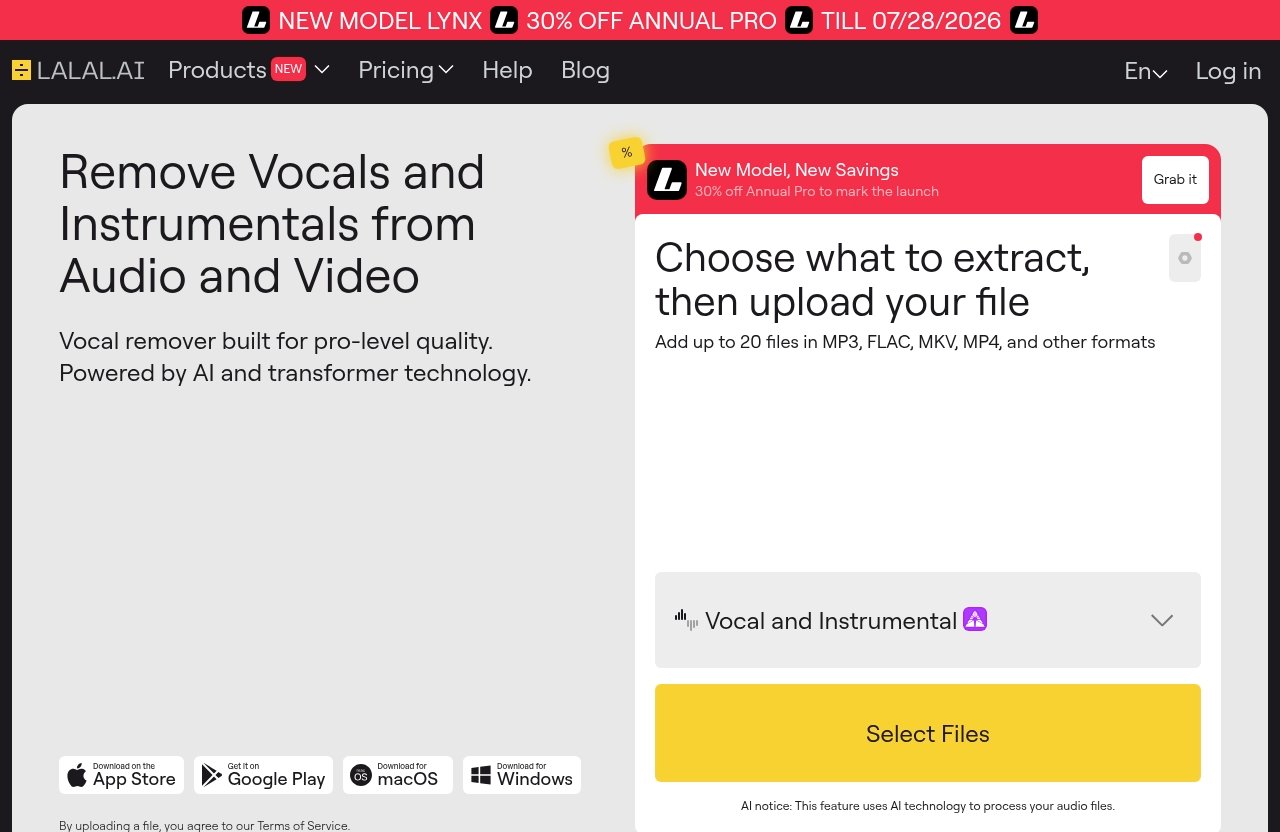
The verified pricing-page banner information available now states: “NEW MODEL LYNX,” “30% OFF ANNUAL PRO,” and “TILL 07/28/2026.” Beyond that, you should confirm current plan details, access rules, and any limits directly on the official site.
Best Option For One-Off Karaoke Creation
If you only need one or two LALAL.AI karaoke tracks, start by testing previews before paying for anything you do not need. Use the browser workflow, upload your file, choose the vocal removal option, and evaluate the result.
For one-off karaoke creation, your priority is not the biggest plan. It is whether the preview proves that your specific song separates well enough.
Check:
- Does the instrumental sound clean?
- Is vocal bleed acceptable?
- Does the chorus still hit properly?
- Are you allowed to export what you need under the current plan rules?
Because plan details can change, verify them on the official pricing page.
Best Option For Frequent Creators
If you make karaoke tracks regularly for covers, rehearsals, content, or production, look for a plan that fits repeated use. Do not choose based only on one song.
Frequent creators should consider their workflow. If you work in a DAW, the VST Plugin may be relevant because it runs locally inside a DAW. If you build tools or automate karaoke track creation, the API may matter.
For regular LALAL.AI karaoke work, evaluate:
- How many files you expect to process
- Whether you need desktop, mobile, or DAW access
- Whether you need Stem Splitter in addition to Vocal Remover
- Whether your projects include video files
- Whether you need tools like Voice Cleaner or Echo & Reverb Remover
The right plan depends on current official terms, so confirm details before buying.
Why To Verify Current Pricing On The Official Page
Do not trust random pricing tables unless they link directly to the current official page. AI tools update models, plans, discounts, and access rules over time.
For a transactional decision, the best path is simple: test your song, judge the preview, then check the official pricing page for the current plan that matches your needs. You can do that through the official LALAL.AI site and review the latest details there.
That keeps your LALAL.AI karaoke purchase decision based on the actual result and current pricing, not guesswork.
LALAL.AI Vs Other Karaoke Methods
There are several ways to make karaoke tracks, but they are not equal in speed or effort. LALAL.AI karaoke creation is most appealing when you want a fast, simple instrumental without manual audio engineering.
Manual methods can still be useful, especially for producers who want total control. But for most singers and creators, AI separation is the practical starting point.
AI Separation Vs Manual Editing
Traditional vocal removal often uses phase cancellation, EQ, mid-side processing, or manual editing. These methods can work on some songs, but they are inconsistent and time-consuming.
An AI vocal remover is more direct. It analyzes the file and separates musical components into stems, which is why it can often handle songs that basic editing methods cannot.
Manual editing gives you control, but it also requires skill. LALAL.AI karaoke creation is better for users who want a clean result quickly without building a full restoration chain.
Why Speed Matters For Creators
Creators often need to move fast. If you are posting covers, preparing rehearsals, making short-form videos, or testing song keys, you may not want to spend an hour trying to remove one vocal.
A fast instrumental track maker helps you test ideas sooner. You can generate a preview, sing over it, and decide whether the song works for your voice.
That speed is the main reason LALAL.AI karaoke workflows are attractive. You are not locked into a complex editing session before you know whether the track is usable.
When A Dedicated Karaoke Workflow Wins
A dedicated karaoke workflow wins when you combine speed with quality checks. The tool alone is not the whole process.
The best workflow is:
- Start with the cleanest source.
- Use Vocal Remover first.
- Preview the instrumental.
- Compare difficult sections.
- Export only when the result is good enough.
- Test it with your actual singing voice.
That process gives beginners a clear path and gives experienced creators enough control to avoid obvious mistakes.
Official website · Latest pricing & offers
FAQ
How To Use LALAL.AI For Free?
Open LALAL.AI, choose the Vocal Remover workflow, select the stem you want, upload your audio or video file, and preview the cleaned result. This is the simplest way to test whether LALAL.AI karaoke separation works for your song.
Free access, previews, trials, exports, or limits may depend on the current plan rules, so verify the latest details on the official pricing page before assuming what is included.
Is LALAL.AI Free?
LALAL.AI may let you test or preview results depending on the current official access rules, but pricing and plan details can change. Do not rely on unverified prices or old plan names.
Check the official pricing page for current availability, limits, discounts, and export options before purchasing or planning a batch of LALAL.AI karaoke tracks.
Can AI Create Karaoke?
Yes. AI can create karaoke-style tracks by separating the vocal from the instrumental so you can sing over the backing track.
With LALAL.AI karaoke workflows, you upload a song, remove or isolate the vocal, preview the instrumental, and export a version suitable for singing practice, covers, or private karaoke use.
How Does LALAL.AI Work?
LALAL.AI uses AI-powered stem separation. You upload audio or video, select the type of stem or removal you want, preview the result, and export the separated track.
For karaoke, the most common workflow is to use Vocal Remover to create an instrumental. For more detailed work, Stem Splitter can extract vocals, instrumental, drums, bass, guitar, synth, string, and wind instruments.
How Do I Reduce Vocal Bleed?
Start with the cleanest source file you can find, avoid low-bitrate or distorted audio, and preview the result before exporting. Vocal bleed reduction depends heavily on the quality and complexity of the original mix.
For most LALAL.AI karaoke tracks, begin with Vocal Remover. If the song has doubled vocals, dense layers, or unusual instrumentation, compare another source or try a more detailed stem workflow.
Conclusion
The fastest path to a clean LALAL.AI karaoke track is simple: use the best source file, start with Vocal Remover, preview the instrumental in multiple song sections, and export only after checking for vocal bleed. For difficult songs, try a cleaner source, compare stems, and use tools like Stem Splitter or Voice Cleaner only when they fit the problem.
If you want a quick, practical way to make karaoke instrumentals without manual editing, LALAL.AI is worth testing with your own song through the official site.