
For producers, DJs, karaoke creators, and remixers, lalal.ai acapella instrumental separation is about more than removing a singer from a track. The useful result depends on what you need next: a vocal-led remix source, a karaoke backing, cleaner lead vocals, or several editable stems for a production session.
This guide explains how LALAL.AI approaches these jobs, when to choose each tool, and how to judge whether a split is good enough for your project. I recommend treating every result as source-dependent: a clean studio mix can separate very differently from a live recording, a heavily compressed master, or a chorus packed with effects.
Official website · Latest pricing & offers
What LALAL.AI Does for Acapella and Instrumental Splits
Acapella vs instrumental: what each output means
An acapella-style export is a version where the vocal is isolated from the surrounding music as effectively as possible. People use this output for mashups, remixes, vocal analysis, edits, sampling ideas, and practice sessions. With lalal.ai acapella instrumental processing, the goal is not simply “no music”; it is an isolated vocal that remains usable when placed over a new beat or arrangement.
An instrumental version works in the opposite direction. It removes or reduces the vocal so the backing music remains, making it useful for karaoke, rehearsal, DJ transitions, remix preparation, and content creation. The best instrumental keeps drums, bass, melodic parts, and ambience intact while minimizing leftover vocal phrases.
Neither output should be assumed to be flawless before you listen. Separation quality depends heavily on the original mix, the amount of vocal reverb, stereo processing, vocal layering, distortion, and how tightly instruments overlap with the singer’s frequency range.
Where LALAL.AI fits in a modern workflow
LALAL.AI provides a Vocal Remover for removing vocals and instrumentals from music tracks, audio clips, and video. Its Stem Splitter can extract vocals, instrumental, drums, bass, guitar, synth, string, and wind instruments. These options make the service relevant whether you need a quick two-part split or a more flexible collection of production stems.
In a typical workflow, I would begin with the fastest split that matches the intended use. A DJ preparing a short transition may only need an instrumental, while a producer building a new arrangement may benefit from several isolated elements. This is where lalal.ai acapella instrumental choices become practical rather than theoretical.
LALAL.AI also offers a Voice Cleaner for background music, vocal plosives, mic rumble, and other unwanted noises. It includes a Voice Changer, Voice Cloner, and Echo & Reverb Remover, though those tools serve different jobs from basic song separation.
Why 2026 users search for this tool specifically
In 2026, music creators often need usable material quickly. A karaoke creator may need to make instrumental from song files for a performance, while a remixer may need to create acapella from song recordings before testing a new chord progression or drum pattern.
The appeal of a song splitter AI is convenience, but the real value is whether the output survives practical use. Can the isolated vocal sit over a new beat without distracting bleed? Does the vocal-removed backing still sound natural through speakers? Those are better questions than whether an algorithm can separate a track at all.
For a quick first test, users can try LALAL.AI through the official site and compare a familiar song across vocal and instrumental outputs. Familiar material makes artifacts much easier to identify.
LALAL.AI Features That Matter for Split Quality
Vocal Remover for quick vocal/instrumental separation
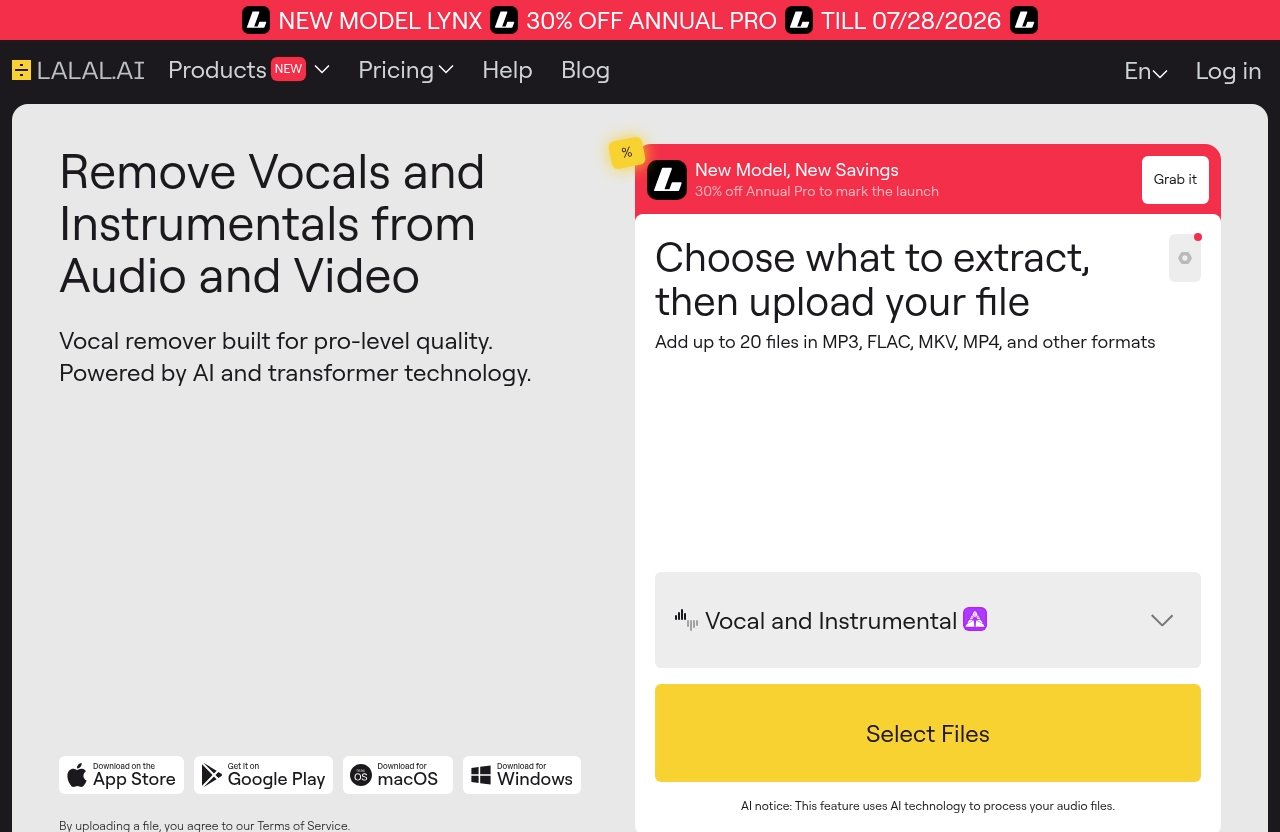
The LALAL.AI Vocal Remover is the most direct starting point when you want a vocal and accompaniment split. It is designed to remove vocals and instrumentals from a music track, audio clip, or video, which makes it the logical choice for straightforward acapella-style and karaoke-style needs.
For many users, this is the simplest lalal.ai acapella instrumental workflow. Upload the source, choose the relevant separation task, review the result, and decide whether the vocal or instrumental is clean enough for the intended project.
A quick split is especially useful when the final use is lightweight: a rehearsal track, a social clip, a rough remix sketch, or a DJ cue. If you need individual drum, bass, or guitar control afterward, move to broader stem extraction instead.
Stem Splitter for broader stem extraction
The LALAL.AI Stem Splitter is for projects that need more than vocal versus music. It can extract vocals, instrumental, drums, bass, guitar, synth, string, and wind instruments. That matters when you want to rebuild part of a song, remove one element from an arrangement, or test a remix without relying on a single combined backing track.
For example, a producer may want vocals and drums separately before replacing the bass line. A guitarist might want to reduce the guitar part for practice. A video editor could need instrumental music without a prominent vocal, but still prefer to retain specific musical layers.
The LALAL.AI Stem Splitter is not automatically the best choice for every basic vocal removal task. More stems can mean more decisions and more files to review. Use it when those extra elements will genuinely help your edit.
Lead/Back Splitter for separating lead and backing vocals
The Lead/Back Splitter is a specialized option for songs with layered singing. It separates lead and backing vocals into two studio-quality stems in seconds, according to the official LALAL.AI product information.
This feature is particularly useful when “remove vocals from song” is not your real objective. You may instead want the main singer for a remix while retaining harmonies separately, or you may want to study vocal arrangements without the lead masking the background parts.
When I evaluate a lead/back separation, I focus on chorus sections first. Dense harmonies, doubles, call-and-response lines, and sustained reverb tails reveal quickly whether the separation works for the intended edit.
Supported apps and integrations
LALAL.AI is available through Desktop for Windows, macOS, and Linux. It also supports iOS for iPhone and iPad, Android for phones and tablets, a VST Plugin that runs locally inside a DAW, and an API for developers.
| Platform or option | Best use case |
|---|---|
| Desktop for Windows, macOS, and Linux | Longer sessions, file management, production work |
| iOS and Android | Quick checks and mobile content workflows |
| VST Plugin | Separating audio from inside a DAW workflow |
| API | Developer-built audio tools and automated processes |
The available platform matters because lalal.ai acapella instrumental work often involves repeated listening and comparison. A mobile split may be enough for a quick karaoke idea, while a DAW-based workflow is more convenient for producers who need to align, edit, and process stems in a session.
Acapella vs Instrumental: Which LALAL.AI Mode Should You Use?
Best choice for creating acapellas
Choose Vocal Remover when the main target is a standalone vocal or acapella-style export. This is the practical first step for remixers, mashup creators, and producers who want an isolated voice to place over another instrumental.
If your source has a clear, centered lead vocal with relatively simple accompaniment, start there. Then inspect the quiet gaps between lyric lines, because any instrumental bleed is often easier to hear when the singer is not performing.
For more complex material, the LALAL.AI Stem Splitter may give you additional options. Being able to work with separate instruments can help when your next task is arrangement editing rather than simply exporting a vocal.
Best choice for making instrumental/karaoke tracks
Use Vocal Remover when you want to make instrumental from song files for karaoke, practice, or a quick backing track. The official LALAL.AI guide confirms the workflow includes removing vocals and creating instrumental tracks.
A karaoke track maker needs a different quality standard from a remix producer. Some faint vocal residue may be acceptable if it is masked by a new singer in a live room. For a commercial backing release or exposed headphone listening, however, you should be stricter about vocal traces and reverb residue.
With lalal.ai acapella instrumental results, always test the chorus as well as the verse. Choruses commonly have doubled vocals, harmonies, wider effects, and more crowded instrumentation, all of which can make vocal removal more challenging.
When lead/back splitting is the better option
Use the Lead/Back Splitter when you want to separate lead and backing vocals rather than remove the vocal entirely. This is ideal for arrangement study, harmony practice, remix construction, and vocal-production analysis.
For example, if you are making a dance remix, you might want the main vocal on top of a new beat but prefer to bring backing parts in only during the drop. A standard vocal/instrumental split cannot make that distinction; a lead/back split is designed for that purpose.
This is also a better route for creators who want to hear how a pop, R&B, rock, or electronic vocal stack is constructed. Listen for whether harmonies remain stable or whether parts of the lead migrate into the backing stem during busy sections.
How to choose by song type
| Your goal | Best LALAL.AI starting point | What to check |
|---|---|---|
| Isolate a singer for a mashup | Vocal Remover | Instrumental bleed, reverb tails, consonants |
| Create a karaoke backing | Vocal Remover | Leftover lead vocal in choruses |
| Rebuild a remix arrangement | Stem Splitter | Separation between drums, bass, and melodic parts |
| Study or edit vocal harmonies | Lead/Back Splitter | Lead leakage into backing vocals |
| Make a rough DJ edit | Vocal Remover | Whether artifacts are noticeable in the mix |
The best lalal.ai acapella instrumental mode is the one that matches the final use, not necessarily the one that produces the most files. Start simple, then use deeper separation only when your project needs the added control.
Step-by-Step: How to Create an Acapella in LALAL.AI
Upload and select the right separation mode
Start with the cleanest available source file. A well-mastered studio version usually gives you a more useful starting point than a low-bitrate rip, a recording captured from speakers, or a live audience video.
Upload the track or audio clip to LALAL.AI and choose the vocal/instrumental separation option that fits an acapella-style result. If your goal involves individual instruments or more detailed arrangement work, consider using the Stem Splitter instead.
For a typical lalal.ai acapella instrumental vocal isolation task, avoid changing your goal halfway through the process. First decide whether you need a lead vocal, all vocals together, or several separate stems. That decision determines how you should assess the output.
Preview and check vocal isolation quality
Listen to the first verse, a sparse section, and the busiest chorus. A good vocal isolation should preserve intelligibility, pitch detail, and natural timing without obvious chunks of drums, guitars, or synths appearing between phrases.
Pay close attention to sibilance on “s,” “t,” and “sh” sounds. These high-frequency consonants can reveal processing artifacts sooner than sustained notes. Also check breathing, vocal doubles, ad-libs, and words at the edges of the stereo field.
I recommend monitoring through headphones and speakers. Headphones make faint residue easier to hear, while speakers show whether the vocal feels natural enough for a remix or public playback.
Download and compare the result
Download the vocal export and compare it against the source track. The question is not whether the result sounds identical to an original studio vocal recording; it is whether it is fit for your stated purpose.
For a mashup, place the acapella over a neutral beat and listen for any musical remnants that clash with the new key or rhythm. For sampling, test a short section in your DAW and see if the remaining artifacts disappear once processing and accompaniment are added.
A useful lalal.ai acapella instrumental test is to compare two song types: one with a dry, centered vocal and one with dense harmonies or large reverb. This gives you a realistic expectation of how source complexity changes the outcome.
Tips for cleaner acapella exports
Use the best source you can access, preferably one without added crowd noise or external recording artifacts. Live recordings, audience applause, room reflections, and stage bleed make vocal isolation harder because they overlap with both music and voice.
Check reverb-heavy choruses separately from dry verses. A vocal may sound excellent in the verse but carry instrumental ambience through long reverb tails in the chorus. If you hear this, try using the output in a fuller remix mix, where minor residue may be less noticeable.
Do not judge only by the first few seconds. Test transitions, pauses, outro sections, and moments where a vocal phrase overlaps with a guitar lead, snare hit, or synth stab.
Official website · Latest pricing & offers
Step-by-Step: How to Create an Instrumental Track in LALAL.AI
Choose Vocal Remover or Stem Splitter
To create an instrumental, begin with Vocal Remover when your aim is a quick vocal-removed backing track. This is usually the most direct route for karaoke, vocal rehearsal, DJ preparation, and basic remix work.
Choose Stem Splitter when you need more control than a combined instrumental provides. You may want to remove the vocal while separately adjusting drums, bass, guitar, synth, string, or wind elements in your own production environment.
The lalal.ai acapella instrumental decision is straightforward here: use Vocal Remover for speed and a two-part result; use Stem Splitter when your arrangement requires multiple editable components.
Check for artifacts in drums, bass, and vocals
Listen closely to the instrumental during vocal phrases, particularly in quiet sections. The most important issue is not always a clearly audible word; it may be a ghostly reverb tail, an unnatural high-frequency shimmer, or a dip in an instrument that was close to the vocal in the original mix.
Check kick drums, snares, bass notes, and central melodic instruments. In some dense songs, removing vocals can slightly affect elements that occupy similar frequencies or stereo positions. Whether that matters depends on whether you are using the output casually or in a polished release.
A good instrumental should feel musically continuous. If the groove loses impact when the singer enters, the backing may still be usable for rehearsal but less suitable for an exposed DJ intro or a final production.
Use the result for karaoke, practice, or remix prep
For karaoke, play the instrumental through the actual sound system you plan to use. A faint vocal trace that is audible on studio headphones may disappear in a room once a performer sings over it. Conversely, a prominent original vocal can be distracting and should be caught before a performance.
For musicians, an instrumental can be valuable for practicing timing, harmony, or solo parts. For DJs, it can provide a transition tool or a cleaner place to introduce another vocal. For remixers, it can be the basis of an arrangement sketch before committing to a full project.
The LALAL.AI Vocal Remover is useful in these scenarios because it directly addresses the need to remove vocals and create instrumental tracks. Still, real-world listening should determine whether the result is ready to use.
Best export habits for creators
Keep the original source file and label each split clearly. If you test multiple versions, use names that identify the song, source quality, mode used, and intended role, such as “vocal,” “instrumental,” or “backing vocals.”
Before arranging the instrumental in a DAW, line it up with the original track to verify timing. If you plan to combine it with another acapella, check tempo and key early rather than after extensive editing.
For lalal.ai acapella instrumental projects intended for public use, review your rights and permissions separately. Audio separation technology does not grant permission to distribute, monetize, or otherwise use copyrighted recordings.
Quality Examples and What Affects the Result
Best-case songs vs difficult songs
A best-case source is typically a clean studio track with a prominent, relatively centered lead vocal and a balanced arrangement. In this type of song, an acapella-style output may sound clear enough for remix experimentation, while the instrumental may work well for practice or karaoke.
More difficult sources include live recordings, recordings with crowd noise, tracks with heavy vocal distortion, and songs with intense stereo widening. Dense electronic productions and large pop choruses can also be challenging because vocals, synths, effects, and percussion share space across the frequency spectrum.
These are examples of typical behavior, not guaranteed outcomes. The same lalal.ai acapella instrumental workflow can produce different results from one song to another, even within the same genre.
Why dense mixes are harder
Separation tools must distinguish sounds that were originally mixed together. When a vocal shares frequencies with a distorted guitar, synth lead, cymbal wash, or layered backing harmony, the boundary between “voice” and “music” is less clear.
Reverb and delay add another complication. A singer’s dry voice may be centered, but its effects may spread across the stereo field and blend into instruments. Removing or isolating the lead can therefore leave residue, ambience, or slight tonal changes.
Heavy mastering compression can make this harder too. When every element is pushed forward in a loud, compact mix, there may be less sonic space for a vocal isolation AI to identify cleanly.
How to judge artifacts, bleed, and clarity
Evaluate the result with a short checklist:
| What to listen for | Why it matters |
|---|---|
| Vocal bleed in an instrumental | Can distract karaoke singers and weaken a remix backing |
| Instrumental bleed in an acapella | Can clash with a replacement beat or new key |
| Reverb residue | Often appears after words and in chorus sections |
| Warbling or metallic tones | May make an isolated stem sound processed |
| Missing drum or bass energy | Can reduce the usefulness of an instrumental |
| Unclear consonants | Affects intelligibility in spoken or sung lines |
Listen at normal volume first, then lower the level. Artifacts can become surprisingly apparent at lower volume because your attention shifts from the song’s energy to the vocal residue and tonal movement.
The most reliable method is comparison. Try the same process on a sparse acoustic track, a dense pop track, and a live recording. This helps you identify which source types suit your workflow and which may need manual cleanup afterward.
What “studio-quality” means in practice
“Studio-quality” should be interpreted carefully in a real production context. It does not mean every split will replace the original multitrack stems from a recording session. It means the output may be clean and usable enough for many creator workflows, depending on the source.
For an acapella, practical quality means words remain understandable, the vocal tone is stable, and background music does not intrude enough to conflict with a new arrangement. For an instrumental, it means the music remains coherent while original vocals are minimized.
With lalal.ai acapella instrumental exports, the relevant standard is fitness for purpose. A result suitable for a rehearsal or quick social edit may not be suitable for a high-exposure commercial release without additional editing.
Pricing and Value for 2026 Buyers
What to verify before buying
Before paying, check the current official LALAL.AI pricing page directly. Plans, limits, included features, and prices can change, so it is important to verify the current information rather than relying on an older review or a cached search result.
Consider how often you will use the service and what type of splits you need. A user making one karaoke backing has different value criteria from a producer who regularly needs vocals, instruments, drums, bass, and harmony separation.
When assessing value, include the time saved. If lalal.ai acapella instrumental outputs help you test ideas quickly, prepare practice tracks, or organize remix concepts without manual editing from scratch, that convenience may matter as much as the purchase price.
Why pricing can change
Audio software pricing can change as products, processing options, and platform support evolve. That is why no fixed price should be assumed unless it is visible on the official LALAL.AI pricing page at the time you are ready to purchase.
Be cautious with pages that list old plan names, outdated limits, or unverified bundle claims. The official source is the correct place to confirm what is currently offered and whether a given option fits your usage needs.
How to use the official pricing page safely
Visit the official pricing page immediately before checkout and review the details relevant to your workflow. Confirm the current price, available processing options, and any terms that affect how you plan to use the product.
It is also sensible to test output quality on representative music before deciding. Use a song similar to the material you work with most often, not just an unusually easy source with a dry, isolated vocal.
LALAL.AI Pros, Limits, and Best Fit
Strengths for fast separation
LALAL.AI covers the main separation tasks that creators commonly need: Vocal Remover for vocal and instrumental splits, Stem Splitter for multiple musical elements, and Lead/Back Splitter for lead versus backing vocal separation. The availability of desktop, mobile, VST Plugin, and API options also supports different working styles.
For me, the strongest use case is speed combined with purposeful testing. You can move from an idea—such as creating a karaoke backing, testing a remix vocal, or examining harmonies—to an output that can be evaluated in context.
The lalal.ai acapella instrumental workflow is particularly useful for producers, DJs, karaoke makers, musicians practicing parts, podcasters working with music clips, and editors who need quick separation without building a complex manual process.
Limitations to watch before purchase
No automated separation should be expected to deliver perfect isolation on every track. Difficult source material may retain vocal bleed, music bleed, reverberation, or processing artifacts. Highly layered vocals and dense arrangements deserve especially careful review.
Users who need original multitrack-stem precision for every project may still need manual cleanup, additional processing, or a different workflow. The same applies to tracks recorded in noisy environments or sourced from low-quality audio.
Always listen before committing the output to a client deliverable, public release, or live performance. A result that sounds acceptable alone can behave differently once it is layered with drums, compression, EQ, or a new vocal.
Who should buy versus who should look elsewhere
LALAL.AI is a good fit for people who value fast, accessible vocal, instrumental, and stem separation across several devices. It is especially relevant if you regularly need practical outputs for remix sketches, karaoke, rehearsal, DJ edits, content creation, or arrangement analysis.
It may be less suitable for anyone expecting guaranteed, untouched multitrack-quality results from every source. If your work demands absolute control over every artifact in highly complex recordings, plan for a more involved editing and restoration process.
In conclusion, lalal.ai acapella instrumental separation is most useful when you choose the mode around your actual goal, test the output on demanding sections, and set realistic expectations based on the source mix. If you need quick vocal or instrumental splits, LALAL.AI is worth trying with a representative track before you make a buying decision.
Official website · Latest pricing & offers
FAQ
Can LALAL.AI make a true acapella from any song?
LALAL.AI can isolate vocals into an acapella-style export, but no tool should be expected to create a perfectly clean true acapella from every song. Results depend on the original mix, especially vocal effects, dense instrumentation, harmonies, and recording quality.
For lalal.ai acapella instrumental testing, listen for instrumental bleed, reverb residue, and altered consonants before using the vocal in a finished remix.
Is LALAL.AI good for instrumental or karaoke versions?
LALAL.AI is designed to remove vocals and create instrumental versions, making it useful for karaoke, rehearsal, remix preparation, and practice tracks. The best results generally come from clean studio sources with clear vocals.
Check the instrumental during choruses and quiet breaks. Those are the places where leftover vocal traces are most likely to be noticeable.
What’s the difference between Vocal Remover and Stem Splitter?
The LALAL.AI Vocal Remover is intended for quick vocal and instrumental separation. The LALAL.AI Stem Splitter goes further by extracting vocals, instrumental, drums, bass, guitar, synth, string, and wind instruments.
Choose Vocal Remover for a straightforward acapella or karaoke backing. Choose Stem Splitter when you need several parts for arrangement editing or remix production.
Does LALAL.AI separate lead and backing vocals?
Yes. LALAL.AI offers a Lead/Back Splitter designed to separate lead and backing vocals with pinpoint accuracy into two studio-quality stems.
This is useful when you want to separate lead and backing vocals for harmony analysis, remix arrangement, or vocal editing instead of removing all vocals from the track.
What devices can I use with LALAL.AI?
LALAL.AI supports Desktop for Windows, macOS, and Linux, plus iOS for iPhone and iPad and Android for phones and tablets. It also offers a VST Plugin that runs locally inside your DAW and an API for developers.
That flexibility makes lalal.ai acapella instrumental workflows practical whether you are checking a quick mobile idea or preparing stems in a desktop production session.
Related Reading
- Lalal.AI Acapella: Best Acapella Split in 2026?
- Lalal.AI Karaoke: Create Clean Instrumental Tracks Fast in 2026
- Lalal.AI Track Splitting Review 2026: Is It Worth It for Stems?