

So, is LALAL.AI good for music producers in 2026? Yes — for the right jobs. It is most useful when you need fast vocal removal, stem separation, remix prep, sample extraction, or quick audio cleanup without building a complicated repair chain from scratch.
This article may contain affiliate links. If you buy through a link, splitthetrack.com may earn a commission at no extra cost to you. I’ll keep the recommendation practical and producer-focused, not hyped.
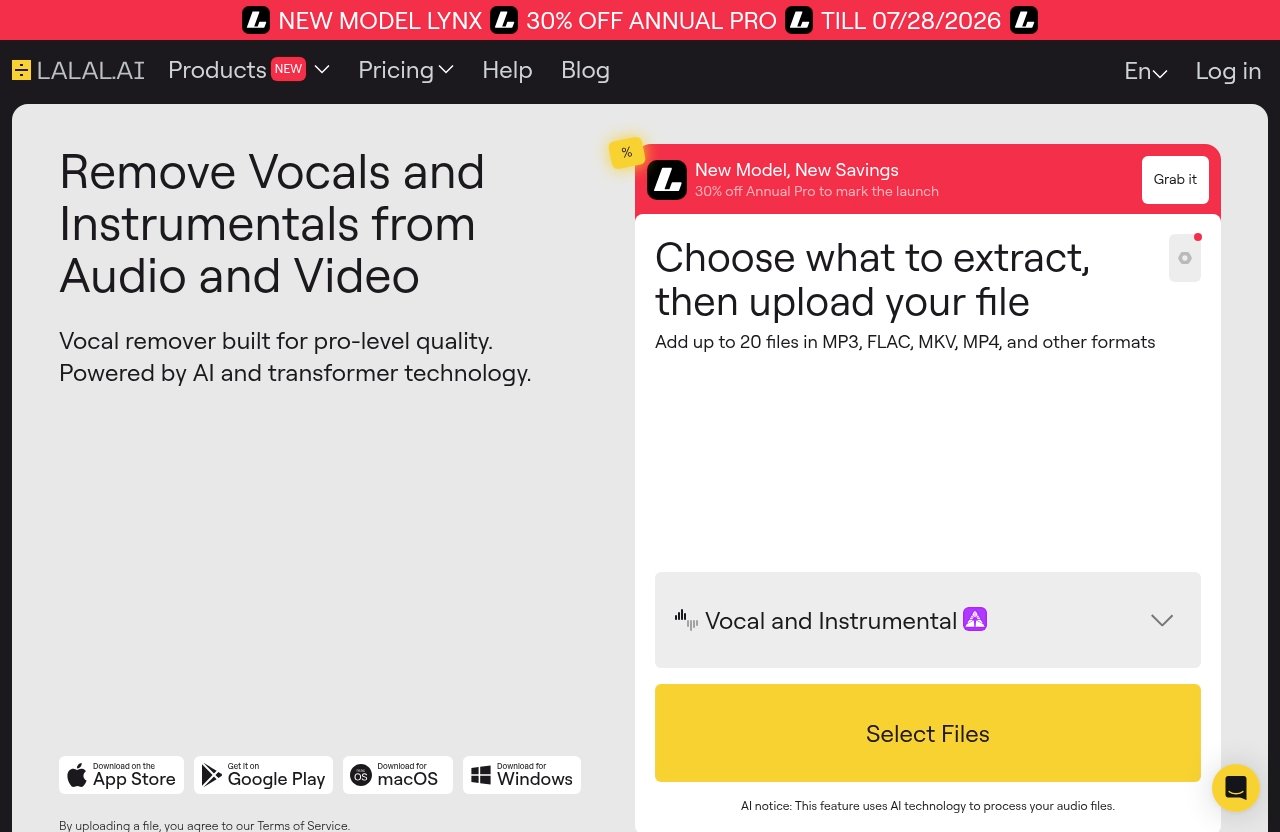
PRODUCT FACTS used in this review: LALAL.AI officially positions itself as an AI vocal remover and instrumental isolator. Its listed tools include Vocal Remover, Stem Splitter, Voice Cleaner, Voice Changer, Voice Cloner, Echo & Reverb Remover, and Lead/Back Splitter. Official platform support includes desktop apps for Windows, macOS, and Linux, iOS and Android apps, a VST plugin that runs locally inside your DAW, and an API for developers. The official pricing page currently shows “NEW MODEL LYNX” and a “30% OFF ANNUAL PRO” promotion through 07/28/2026, but exact plan pricing should be checked directly before publishing or buying.
Official website · Latest pricing & offers
Quick Verdict: Is LALAL.AI Good for Music Producers in 2026?
Short Answer: Is LALAL.AI Good for Music Producers?
Yes, is LALAL.AI good for music producers has a practical answer: it is good if you regularly need stems faster than you can recreate, replay, or clean them manually. It is especially useful for remixers, beat makers, mashup creators, sample-based producers, and home studio users working with imperfect audio.
The key is expectation management. LALAL.AI can save time, but it will not magically turn every finished stereo master into perfectly clean multitracks. You should still expect some artifacts, bleed, phase weirdness, or cleanup work depending on the source.
If you approach it as a stem prep and audio cleanup tool rather than a replacement for proper multitrack sessions, it makes a lot more sense.
Best-Fit Producer Use Cases
LALAL.AI fits best when speed matters. If you want to pull a vocal for a remix idea, isolate drums from a sample, extract bass for reference study, or clean up a noisy scratch vocal, the workflow is straightforward.
It is also helpful when you are in the early idea stage. Instead of spending an hour rebuilding a reference groove, you can quickly split a track, drag the useful part into your DAW, and see if the idea is worth developing.
For many producers, that is the real value. It reduces friction between hearing an idea and testing it.
Who Should Probably Skip It
You may want to skip it if you need flawless, release-ready stems from dense commercial mixes every time. No stem separator should be treated like a guaranteed multitrack recovery system.
It may also be less compelling if you rarely sample, remix, edit stems, clean vocals, or work with outside audio. If your production style is fully MIDI-based and you record everything yourself in clean conditions, you might only need this kind of tool occasionally.
In short, is LALAL.AI good for music producers depends on how often stem separation appears in your real workflow.
What LALAL.AI Actually Does for Producers
Stem Separation and Vocal Removal
LALAL.AI is officially described as an AI vocal remover and instrumental isolator. In producer terms, that means you can use the LALAL.AI vocal remover to separate vocals from instrumentals, or use its Stem Splitter to pull apart elements from a mixed track.
The official Stem Splitter lists extraction for vocals, instrumental, drums, bass, guitar, synth, string, and wind instruments. That matters because producers rarely need only an acapella. Sometimes the useful part is the drum loop, the bass movement, a guitar phrase, or a synth layer buried in a full mix.
If you make remixes, edits, bootlegs, or sample-based beats, this is the core reason to consider it.
Instrument Isolation for Remix and Sampling Work
For sampling, the appeal is simple: you can try to isolate the part you actually want before chopping. Maybe the drums have too much vocal over them, or the bass is masking the sample’s midrange.
Using the LALAL.AI stem splitter, you can attempt to separate the musical element, then process it in your DAW with EQ, transient shaping, gating, saturation, or additional cleanup. This can make a rough sample more flexible, even if the extracted stem is not perfect.
For remixing, LALAL.AI for remixing is most useful in the prep stage. You can extract a vocal, tempo-map it, clean the edges, and start building new chords or drums around it.
Noise Cleanup and Voice Tools in a Producer Workflow
LALAL.AI also lists Voice Cleaner, Echo & Reverb Remover, Lead/Back Splitter, Voice Changer, and Voice Cloner among its official tools. For producers, the most immediately practical of these are cleanup-focused features.
Voice Cleaner is listed for removing background music, vocal plosives, mic rumble, and other unwanted noises. That can help with demo vocals, podcast-style spoken hooks, voice tags, rough toplines, or client scratch recordings.
The point is not to replace careful recording technique. The point is to rescue material when you do not control the recording environment.
Why Producers Use LALAL.AI
Fast Turnaround for Creative Experimentation
The strongest argument for LALAL.AI for producers is speed. When you are building ideas in a DAW, every extra technical step can kill momentum.
If you hear a vocal phrase that might work over a new beat, you do not always want to spend the evening trying five manual cleanup chains. A fast stem pass lets you test the arrangement first and decide whether deeper cleanup is worth it.
That is why is LALAL.AI good for music producers is not only a sound-quality question. It is also a workflow question.
Useful for Stems, Mashups, and Reference Reconstruction
LALAL.AI for mashups is another obvious use case. If you need an acapella-style vocal or instrumental bed for arrangement experiments, fast separation helps you move quickly.
It can also help with reference reconstruction. For example, isolating drums or bass from a reference track can make it easier to study groove placement, pattern density, or mix balance. You are not stealing a mix decision; you are learning how parts interact.
For producers who teach, analyze records, or build practice remakes, stem separation can be a practical learning tool.
Convenient Web App Plus Desktop, Mobile, and DAW Plugin
The official site lists desktop support for Windows, macOS, and Linux, plus iOS and Android apps. That flexibility matters if you move between a studio machine, laptop, and phone.
More importantly for producers, LALAL.AI also lists a VST plugin that runs locally inside your DAW. A LALAL.AI DAW plugin can be useful because you do not always want to bounce, upload, download, import, and relabel files during a session.
If your workflow is DAW-centered, local plugin operation is a meaningful advantage.
You can review the current product details and pricing directly on LALAL.AI before deciding whether it fits your setup.
Where LALAL.AI Can Fall Short
Artifacts, Leakage, and Imperfect Separations
The biggest limitation is the same limitation you get with any AI stem separation workflow: the source mix matters. Dense masters, heavy reverb, distorted vocals, layered guitars, sidechained synths, and loud cymbals can all make separation harder.
You may hear artifacts, watery high-end, missing transients, vocal bleed in the instrumental, or drum remnants in the vocal. Sometimes the result is good enough for a remix demo but not clean enough to sit exposed in a final mix.
So, is LALAL.AI good for music producers who expect perfect extraction every time? No. It is better viewed as a fast assistant, not a miracle tool.
Not a Full DAW Replacement
LALAL.AI does not replace arrangement, editing, gain staging, EQ, compression, phase checking, or creative production decisions. It gives you separated or cleaned material that still needs producer judgment.
In a real session, I would still pull the result into a DAW, trim noise tails, align timing, filter unwanted lows, and check the extracted stem against the new track. Stem separation is the beginning of the cleanup chain, not the end.
If you are making release-ready music, expect to do post-processing.
When Manual Editing Still Beats AI
Manual editing still wins when the issue is highly specific. If you only need to remove a click, tighten a breath, fade a bad tail, or automate one noisy syllable, a DAW edit may be cleaner than running the whole file through separation.
Traditional editing also gives you more control when you have access to original multitracks. If the artist can send you the real vocal stem, use that instead of extracting one from a stereo bounce.
LALAL.AI is most useful when the original stems are unavailable or when speed matters more than microscopic control.
Official website · Latest pricing & offers
Pricing and Value for Producers
How the Plans Affect Occasional vs Frequent Use
The value of LALAL.AI pricing in 2026 depends less on the marketing and more on how often you need the tool. A producer making weekly remixes, edits, sample flips, and cleanup passes will get more value than someone who only separates stems twice a year.
Think in terms of stem volume. How many tracks do you realistically need to process each month? Are you using it for paid client work, personal experiments, teaching, content, or occasional inspiration?
If the tool saves you hours across multiple sessions, paying for it is easier to justify.
What to Check Before Paying
Before buying, check the current official pricing table directly. The provided official excerpt does not include complete numeric pricing, so I would not rely on secondhand prices or outdated plan screenshots.
Look closely at what is included, how usage is measured, and whether the plan fits your expected workload. If you mostly need one or two files cleaned up, your buying decision is different from a remix producer processing large batches of audio.
This is especially important if you are comparing LALAL.AI pricing 2026 against other tools.
Annual Promo Context and Value Framing
The verified official pricing excerpt shows a “30% OFF ANNUAL PRO” promotion through 07/28/2026 and mentions “NEW MODEL LYNX.” That is the only promo context I would treat as verified here.
The better value question is this: will LALAL.AI help you finish more ideas, prepare more usable stems, or clean more audio in less time? If yes, it may pay for itself quickly in workflow savings.
If you are only curious, do not overbuy. Match the plan to your actual production habits.
Best Use Cases by Producer Type
Beat Makers and Sample-Based Producers
For beat makers, LALAL.AI for sampling is a strong use case. You can isolate drums, bass, vocals, or melodic elements from a track, then chop, filter, pitch, stretch, and resample inside your DAW.
This does not remove the need for good taste. A bad sample flip will still be bad, even with cleaner separation. But if a vocal is getting in the way of a loop, or the drums are masking a musical phrase, stem splitting can open up new options.
For frequent sample-based producers, is LALAL.AI good for music producers leans toward yes.
Remix and Mashup Creators
Remix producers may get the most direct benefit. Extracting vocals, instrumentals, drums, or other parts can speed up remix prep dramatically when official stems are not available.
For mashups, the same logic applies. You can test whether a vocal works over another instrumental, then decide whether the idea deserves manual cleanup, arrangement work, and mix polish.
LALAL.AI for remixing is not a substitute for legal clearance or source rights, but as a creative prep tool it is very practical.
Content Creators, Podcasters, and Engineers Who Also Produce
Some producers also edit podcasts, YouTube audio, social clips, or client voiceovers. In that case, Voice Cleaner and Echo & Reverb Remover may be just as useful as the stem tools.
Cleaning background music, plosives, mic rumble, and other unwanted noise can help when you receive imperfect voice recordings. It can also help with producer tags, spoken intros, vocal drops, and rough toplines.
For hybrid creators, LALAL.AI becomes more than a remix tool. It becomes a general audio utility.
How LALAL.AI Compares to Alternative Workflows
Manual Editing Inside a DAW
Manual editing inside a DAW gives you maximum control, but it can be slow. If you are cutting around vocals, rebuilding drums, or trying to remove background elements by hand, the process can eat up a session fast.
LALAL.AI is better for quickly generating separated material you can then refine. The DAW is still where you make the result musical.
The practical workflow is not “AI versus DAW.” It is LALAL.AI first, DAW cleanup second.
Traditional Spectral Repair Tools
Spectral repair tools can be excellent for detailed audio restoration. They are often better when you need to remove a specific sound from a narrow frequency/time area.
However, they can require more skill and more time. For a producer who just wants a usable vocal stem or drum layer quickly, LALAL.AI is usually a simpler starting point.
If you do serious restoration work, you may still want spectral tools in your kit. LALAL.AI is more about speed and separation than surgical repair.
Other Stem Separator Tools
There are many stem separator tools now, and some producers test several before settling on one. Since no official competitor specs are being used here, the fair comparison is workflow-based rather than feature-by-feature.
LALAL.AI stands out on verified platform support: web-style access, desktop apps for Windows, macOS, and Linux, mobile apps, API access, and a VST plugin that runs locally inside the DAW. That broad access can matter if you work across different environments.
If you are searching for the best AI stem splitter for producers, focus on your actual use case: vocal removal, drum isolation, sample cleanup, DAW integration, or batch-style work.
Pros and Cons for Music Producers
Top Advantages
| Advantage | Why It Matters for Producers |
|---|---|
| Vocal removal and instrumental isolation | Useful for remix prep, acapella creation, and instrumental edits |
| Stem Splitter with multiple instrument targets | Helps isolate vocals, drums, bass, guitar, synth, strings, and wind instruments |
| Voice Cleaner and cleanup tools | Useful for scratch vocals, voice tags, rough demos, and content audio |
| Desktop, mobile, VST, and API support | Fits different workflows, including DAW-based sessions |
| Fast creative testing | Lets you check ideas before committing to detailed editing |
The main reason is LALAL.AI good for music producers gets a yes is that it helps you move from idea to test faster. That is valuable in modern production, where most ideas die before they get arranged.
It is not about replacing skill. It is about removing repetitive prep work.
Main Drawbacks
| Drawback | Practical Impact |
|---|---|
| Separation quality varies | Dense or heavily processed mixes may produce artifacts |
| Leakage can remain | Vocals, drums, or instruments may bleed into other stems |
| DAW cleanup is often needed | EQ, editing, fades, and repair may still be necessary |
| Not a legal clearance solution | You still need rights for commercial use of source material |
| Pricing must be verified | Exact current plan details should be checked on the official pricing page |
The biggest mistake is expecting perfect studio stems from any finished master. If you use LALAL.AI with that expectation, you may be disappointed.
If you expect a useful starting point, the tool makes more sense.
Final Producer Verdict
Here is the clean recommendation.
| Producer Type | Verdict |
|---|---|
| Remix producers | Worth considering |
| Beat makers and sample flippers | Worth considering |
| Mashup creators | Worth considering |
| Home studio users cleaning rough audio | Useful, depending on workload |
| Producers with original multitracks | Optional |
| Producers needing flawless stems every time | Probably skip |
| Occasional hobbyists | Check cost carefully |
So, is LALAL.AI good for music producers in 2026? Yes, if you frequently need vocal removal, stem splitting, remix prep, sample extraction, or practical audio cleanup.
Skip it if you need guaranteed perfect separations, already have access to real stems, or only need this kind of tool once in a while.
How to Get the Best Results from LALAL.AI
Choose the Right Source Material
Source quality matters. A clean, high-resolution file with less distortion and less extreme mastering will usually give you a better starting point than a crushed, noisy, low-bitrate upload.
Avoid expecting miracles from messy sources. If the vocal is buried under cymbals, reverb, and distorted guitars, the extracted stem may need serious cleanup.
As with sampling in general, better input usually means better output.
Use the Right Stem Target
Choose the stem target based on the job. If you want an acapella, start with vocal removal or vocal extraction. If you are flipping a groove, drums or bass may be more useful than the full instrumental.
For sample-based production, I often think in layers: what do I actually need from this record? The hook? The snare texture? The bass movement? The chord bed?
That mindset helps you avoid processing more than necessary.
Post-Process Results in Your DAW
After separation, bring the file into your DAW and treat it like raw material. Trim dead space, fade rough edges, high-pass rumble, notch harsh artifacts, and use automation where bleed jumps out.
For vocals, you may need de-essing, EQ, gentle compression, or reverb to blend the extraction into a new track. For drums, transient shaping, saturation, gating, or layering can help hide separation artifacts.
This is where producer skill still matters. LALAL.AI gets you closer; your DAW work makes it usable.
Official website · Latest pricing & offers
FAQ
Can Music Producers Use LALAL.AI for Commercial Work?
Music producers can use tools like LALAL.AI in production workflows, including remix prep, cleanup, and stem extraction. However, commercial release depends on the rights and licensing of the source audio you upload and use.
If you extract a vocal or sample from someone else’s copyrighted track, LALAL.AI does not automatically give you clearance. Always confirm usage rights before releasing or monetizing the result.
Does LALAL.AI Work Well for Drums and Vocal Separation?
LALAL.AI is designed for vocal removal and stem splitting, and the official Stem Splitter lists vocals, instrumental, drums, bass, guitar, synth, string, and wind instruments. That makes it relevant for both vocal extraction and drum isolation.
Quality still depends on the source mix. Clean arrangements usually separate better than dense, loud, heavily processed masters.
Is the VST Plugin Useful Inside a DAW?
Yes, the VST plugin is useful if you prefer to keep your workflow inside the DAW. The official site states that the VST plugin runs locally inside your DAW, which matters for producers who do not want to constantly switch between apps.
For remix prep, sample extraction, and cleanup, that tighter workflow can save time.
Is LALAL.AI Worth Paying for If I Only Make Music Occasionally?
If you only make music occasionally, be careful with the cost. The value depends on how often you need stems, vocal removal, instrument isolation, or audio cleanup.
For one-off needs, check the current official pricing page and choose the smallest suitable option if available. For frequent remixers, beat makers, and sample-based producers, the value is easier to justify.
Final verdict: is LALAL.AI good for music producers? Yes — especially for remixers, sample flippers, beat makers, mashup creators, and home studio users who need fast stem separation and cleanup. If that sounds like your workflow, review the current details on LALAL.AI and compare the cost against how often you will actually use it.
Related Reading
- Lalal.AI Reviews 2026: Skeptical, Fair Buying Verdict
- Lalal.AI Pricing Plans Explained in 2026
- Lalal.AI vs Splitter AI: Which Stem Separator Is Better in 2026?