
Official website · Latest pricing & offers
Quick Verdict: Is LALAL.AI Worth It for Podcast Editing?
Short answer: yes, LALAL.AI for podcast editing can be worth it if your main problem is messy mixed audio: music under speech, intro/outro bleed, background spill, noisy remote interviews, or podcast clips that need cleaner voice isolation.
But it is not a full podcast editor. It will not replace your DAW, timeline editor, transcription editor, mixing chain, or human judgment. I would treat it as a specialist cleanup tool that sits before or alongside your normal podcast post-production workflow.
For this review, I evaluated it through a podcast-specific lens: usefulness for cleanup, ease of use, flexibility across podcast workflows, pricing/value, and whether it genuinely fits the way podcasters, editors, and agencies work.
Best for podcasters who need fast cleanup on mixed audio
The strongest case for LALAL.AI for podcast editing is when you receive audio that is already mixed and hard to undo manually.
Common examples include:
| Podcast problem | Where LALAL.AI may help |
|---|---|
| Host talking over intro music | Separate voice and music elements |
| Guest audio with background music | Reduce or isolate unwanted music |
| Old archive episode with mixed beds | Pull cleaner speech for reuse |
| Clip with noisy background spill | Prepare cleaner audio before editing |
| Social clip with voice buried in music | Isolate speech for repurposing |
If you often need to remove music from podcast audio, isolate a voice from a mixed file, or prep compromised audio before editing elsewhere, LALAL.AI is genuinely relevant.
Not the best fit if you need a full podcast editor
If you are looking for multitrack editing, episode assembly, timeline cuts, compression, EQ, loudness matching, show notes, captions, or publishing features, LALAL.AI for podcast editing is not the whole answer.
It is primarily an AI vocal remover, stem separator, and audio cleanup platform. Officially, LALAL.AI offers tools such as Vocal Remover, Stem Splitter, Voice Cleaner, Voice Changer, Voice Cloner, Echo & Reverb Remover, and Lead/Back Splitter.
That makes it useful in post-production, but it does not make it a complete post-production suite.
Bottom line: where it helps and where it falls short
My practical verdict is this: LALAL.AI for podcast editing is worth testing if you regularly deal with damaged, mixed, or recycled audio. It can save time when conventional editing tools are slow or awkward for separation work.
It falls short if your podcast audio is already clean, recorded on separate tracks, and only needs normal editing. In that case, your DAW or podcast editor may already cover most of your needs.
What LALAL.AI Actually Does for Podcasts
LALAL.AI is best understood as a separation and cleanup tool, not as a podcast production platform. For podcasters, the relevant question is not “Can it edit my whole show?” but “Can it help rescue or prepare audio that would otherwise be painful to fix?”
That distinction matters. LALAL.AI for podcast editing is most useful at the repair, isolation, and preparation stage.
Vocal Remover vs Stem Splitter vs Voice Cleaner
Officially, LALAL.AI includes several products, but three matter most for podcast workflows:
| LALAL.AI tool | Official positioning | Podcast relevance |
|---|---|---|
| Vocal Remover | Removes vocals and instrumentals from music tracks, audio clips, or videos | Useful when speech and music are mixed together |
| Stem Splitter | Extracts vocals, instrumental, drums, bass, guitar, synth, string, and wind instruments | Useful for separating complex audio into more editable parts |
| Voice Cleaner | Removes background music, vocal plosives, mic rumble, and other unwanted noises | Useful for cleaner spoken-word audio |
The lalal ai vocal remover is the obvious tool for music-versus-voice problems. The lalal ai stem splitter becomes more relevant when the mixed audio contains multiple musical elements. The lalal ai voice cleaner is the one most closely aligned with general podcast cleanup.
For lalal ai podcast editing, I would start with the problem first: music bleed, voice isolation, or unwanted noise. Then choose the tool that fits that issue.
How it may help with music bleed in intros, outros, and clips
A very common podcast issue is speech baked into music. Maybe the host speaks over the intro bed, the outro music runs under the call-to-action, or a clip from a livestream has background tracks underneath.
This is where LALAL.AI for podcast editing makes sense. Its Vocal Remover and Stem Splitter tools are designed to separate vocals and instrumentals, which may help you isolate the spoken voice or reduce the music bed.
A realistic workflow might look like this:
- Export the problematic section from your editor.
- Process it through LALAL.AI.
- Download the separated voice or music output.
- Bring the cleaner file back into your DAW.
- Edit, EQ, compress, and mix as usual.
This is especially useful when you do not have access to the original multitrack session.
How it may help with interviews, room noise, and overlapping speakers
For interviews, the value depends heavily on the source. If the guest recorded on a laptop mic in a noisy room, LALAL.AI for podcast editing may help reduce background spill or prepare the voice for further cleanup.
The Voice Cleaner is officially positioned around removing background music, vocal plosives, mic rumble, and other unwanted noises. That is relevant for podcast interviews, especially remote calls where you receive one flattened audio file.
However, overlapping speakers are still tricky. AI tools can sometimes help isolate speech, but if two people talk over each other in the same frequency range, you should expect limits. Use LALAL.AI as a cleanup assistant, not a magic undo button.
How Useful It Is in Real Podcast Editing Workflows
The practical value of LALAL.AI for podcast editing depends on where you place it in your workflow. I would not use it as the final editing environment. I would use it before or between editing stages.
Think of it as a prep tool: separate, clean, export, then finish the episode elsewhere.
Cleaning up imported files before editing in your DAW
The cleanest use case is preprocessing. Before you start cutting an episode in Audacity, Adobe Audition, Descript, Reaper, Logic, or another editor, you can run problem files through LALAL.AI.
This can help when:
- A guest sends a single mixed file with music in the background.
- A client provides old podcast audio without source tracks.
- A YouTube recording has voice and music baked together.
- A livestream replay needs cleaner speech before being turned into a podcast.
For lalal.ai for podcast editing, this “before the DAW” role is probably the most practical. You are not asking it to make creative edit decisions. You are asking it to make bad source material easier to work with.
LALAL.AI also lists desktop apps for Windows, macOS, and Linux; mobile apps for iPhone, iPad, Android phones, and Android tablets; a VST Plugin that runs locally inside your DAW; and an API for developers. For agencies and technical teams, that flexibility may matter.
Repurposing podcast clips for social media or YouTube
Podcast repurposing is another strong use case. Short clips often need to work in noisy environments: social feeds, YouTube Shorts, Reels, TikTok-style edits, and audiograms.
If a clip has music baked in, crowd noise, or a voice that needs to be more isolated, LALAL.AI for podcast editing can help prepare a cleaner voice layer before you add captions, graphics, or new background music.
For creators, this may be more valuable than full-episode cleanup. You might only need to process a 30-second clip where the guest says something great but the audio is messy.
That is where podcast audio cleanup AI can be a practical time-saver rather than a novelty.
Fixing old or noisy recordings from remote interviews
Old archive episodes are often messy. You may have compressed MP3s, Zoom recordings, livestream rips, or interviews recorded before your show had a proper audio setup.
For archive cleanup, LALAL.AI for podcast editing can be useful when the original separated tracks are gone. You may be able to isolate speech, reduce music, or clean some rumble before remastering the episode.
That said, source quality matters. A distorted file, heavy compression artifacts, loud background music, and multiple people talking at once will give any AI separation tool a harder job.
My rule: test the worst real file you plan to use before paying for a larger workflow.
Where LALAL.AI Excels
LALAL.AI’s strongest areas are the jobs normal podcast editors can make difficult: separating baked-in elements, isolating voice, and helping non-engineers get usable audio faster.
This is where LALAL.AI for podcast editing has a clear role.
Removing music from mixed audio
The best reason to try LALAL.AI is to remove music from podcast audio when you do not have access to the original stems.
For example, maybe you inherited a branded podcast with old intro music under the host’s voice. You want to reuse the voiceover, but the music licensing changed. Manually removing that music would be tedious and probably imperfect.
The Vocal Remover and Stem Splitter tools are built around separating vocals and instrumentals. In podcast terms, that means ai stem splitting for podcasts can help you rescue speech from music-heavy clips.
This does not mean every result will be release-ready. But even a partially improved stem can be enough to make further editing possible.
Isolating speech from cluttered recordings
The second strength is speech isolation. If the voice is the most important part of the recording, LALAL.AI may help you pull it forward.
This applies to:
- Podcast clips recorded from video.
- Webinars repurposed as audio episodes.
- Remote interviews with background spill.
- Conference recordings with music or room ambience.
- Archive files where the voice is buried.
For LALAL.AI for podcast editing, this is often more useful than traditional noise reduction. Instead of only trying to suppress noise, you are trying to separate the desired voice from everything else.
That can be helpful when conventional EQ and noise reduction start damaging the speaker’s tone.
Speed and simplicity for non-engineers
Not every podcaster wants to learn spectral editing. Not every agency wants junior staff spending an hour manually repairing a 45-second clip.
The appeal of lalal ai for podcasts is speed. Upload or process the file, choose the relevant separation or cleaning option, and evaluate the result.
LALAL.AI’s official homepage also points to multiple access options: desktop, mobile, VST Plugin, and API. That matters because different teams work differently. A solo creator may use the web or mobile app, while an agency may prefer desktop or API-based workflows.
Official website · Latest pricing & offers
Where LALAL.AI May Not Be Enough
The skeptical view is important: LALAL.AI for podcast editing is useful, but it is not a cure-all. You still need good recording habits, careful editing, and realistic expectations.
If the source audio is badly damaged, AI separation may improve it without fully fixing it.
It is not a complete podcast editor
LALAL.AI is not where you assemble a full episode. It does not replace the core workflow of cutting dialogue, arranging segments, adding music, balancing loudness, applying EQ/compression, inserting ads, exporting final masters, or publishing.
A full podcast editor usually handles timeline-based work. LALAL.AI handles separation and cleanup tasks.
That makes lalal.ai for podcast editing more like a specialized repair bench than a full production studio.
If you need one tool to record, edit, mix, publish, and promote a show, this is not that tool.
Results depend on source quality
This is the biggest limitation. Source quality matters more than any sales page can fully explain.
Cleaner files with a clear difference between voice and music usually give AI tools a better chance. Files with distortion, heavy compression, similar-sounding background elements, or overlapping speakers tend to be harder.
When evaluating LALAL.AI for podcast editing, I would test:
- A clean voice-over-music intro.
- A noisy remote guest track.
- A clip with background music under speech.
- An old compressed MP3 archive.
- A worst-case file from your actual workflow.
Do not judge it only on demo-style audio. Use the files that currently waste your editing time.
Limits of AI separation for heavy bleed or dense mixes
AI separation can be impressive, but dense mixes are difficult. If a voice is buried under drums, synths, crowd noise, and compression, the output may include artifacts or missing detail.
This is not unique to LALAL.AI. It is a general limitation of AI audio separation.
For background noise removal podcast work, you may still need a combination of tools: separation, noise reduction, EQ, manual edits, fades, and sometimes honest acceptance that the recording cannot be fully restored.
That is why I see LALAL.AI for podcast editing as a cleanup assistant rather than a final mastering solution.
Pricing and Value for Podcasters
Pricing is where podcasters should slow down and verify the current offer. The product may be valuable, but the right decision depends on how often you need separation or cleanup.
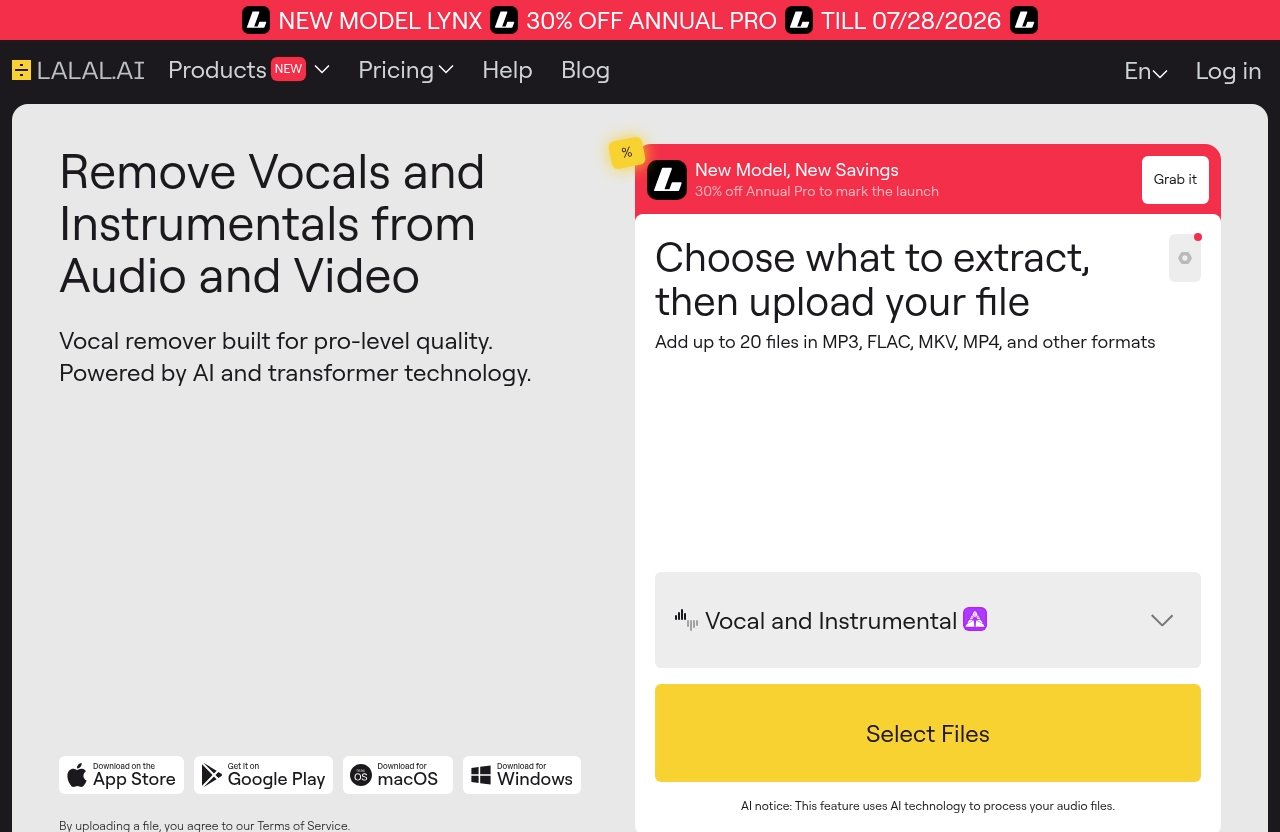
The official homepage currently shows a dated promotional banner: “NEW MODEL LYNX” and “30% OFF ANNUAL PRO TILL 07/28/2026.” Treat that as a time-limited promotional notice, not evergreen pricing.
PRODUCT FACTS: verified plans and pricing
The pricing page details provided for this article are incomplete/truncated. Before publication, the writer or editor must verify the live official LALAL.AI pricing page and cite the plan names and prices exactly as shown there.
Do not estimate or invent:
- Plan names.
- Monthly or annual prices.
- Credit amounts.
- File limits.
- Upload limits.
- Discounts.
- Commercial rights.
- Any plan-specific restrictions.
For a commercial review of LALAL.AI for podcast editing, accurate pricing is essential. If pricing cannot be verified, the article should say so clearly rather than guessing.
Which plan is most sensible for occasional podcast cleanup
For occasional podcasters, the best value depends on whether you only need to fix rare problem files or whether every episode requires cleanup.
If you edit a few shows per month and most recordings are clean, LALAL.AI for podcast editing may only be worth paying for when you have a specific rescue job. In that case, compare the live pricing against the cost of your time.
If a bad file takes you 90 minutes to repair manually and an AI cleanup pass gets you 70% of the way faster, the value becomes easier to justify.
For creators who only need one or two old clips cleaned, verify whether the current official pricing structure fits that light usage before subscribing.
When the price makes sense versus cheaper tools
The price makes most sense when LALAL.AI solves a problem your cheaper tools do not handle well.
Many podcast editors can trim, fade, EQ, compress, and reduce noise. Fewer are built primarily around stem separation and vocal/instrumental extraction. That is the value gap.
For agencies, branded podcast teams, and editors who regularly inherit messy source audio, LALAL.AI for podcast editing may pay for itself through saved repair time. For hobbyists with clean solo recordings, it may be harder to justify unless you frequently repurpose clips.
If you want to test it on real files, you can try LALAL.AI through the splitthetrack.com affiliate link and compare the output against your normal editing process.
How It Compares to Typical Podcast Editing Tools
The fairest comparison is category-based. LALAL.AI is not trying to be the same thing as a full podcast editor, so judging it like one can be misleading.
The better question is: when is a separation tool more useful than another general editing tool?
LALAL.AI vs all-in-one podcast editors
All-in-one podcast editors are usually built for recording, cutting, arranging, processing, exporting, and sometimes publishing. They are designed around the full episode.
LALAL.AI is designed around audio separation and cleanup. Its official product list includes Vocal Remover, Stem Splitter, Voice Cleaner, Voice Changer, Voice Cloner, Echo & Reverb Remover, and Lead/Back Splitter.
So LALAL.AI for podcast editing is not a replacement for an all-in-one editor. It is something you use when the all-in-one editor cannot easily separate baked-in audio elements.
If your main work is episode assembly, use a podcast editor. If your main pain is mixed audio cleanup, consider LALAL.AI.
LALAL.AI vs manual cleanup in Audacity, Adobe Audition, or Descript
Manual cleanup tools are powerful when the problem is simple: hum, hiss, clicks, breaths, uneven levels, or basic noise reduction. A skilled editor can do a lot with EQ, spectral tools, fades, and repair plugins.
But manual editing gets harder when the unwanted sound is not just “noise” but music, instruments, or another layer mixed under the voice.
That is where LALAL.AI for podcast editing has a different role. Instead of only reducing frequencies, it attempts to separate parts of the audio.
You may still finish the job in Audacity, Adobe Audition, Descript, or another tool. LALAL.AI can provide a cleaner starting point.
When a stem separator is the smarter purchase
A stem separator is the smarter purchase when your recurring issue is baked-in audio.
Examples:
- You produce a show from livestream recordings.
- You edit branded podcasts with music-heavy intros.
- You repurpose video interviews into podcast episodes.
- You manage old archive audio for clients.
- You create social clips from mixed masters.
In those cases, podcast post-production AI that focuses on separation may be more useful than another standard editor.
For clean multitrack podcast production, though, stem separation may be unnecessary. Good recording practices beat cleanup tools every time.
Who Should Buy It and Who Should Skip It
The buying decision should come down to your source audio. If you regularly receive clean WAV files on separate tracks, LALAL.AI may be optional. If you regularly receive messy, mixed, or compressed files, it becomes much more interesting.
That is the simplest way to judge LALAL.AI for podcast editing.
Ideal buyer profiles
LALAL.AI is most appealing for:
| Buyer type | Why it may be worth it |
|---|---|
| Solo creators | Useful for rescuing clips and cleaning occasional bad recordings |
| Interview podcasters | Helpful when guest audio has music, rumble, or unwanted background elements |
| Branded podcast teams | Useful for repurposing mixed assets and archive content |
| Podcast agencies | Can save time across multiple client cleanup jobs |
| Video-first creators | Helpful when turning video/audio mixes into podcast-ready material |
| Archive editors | Useful when original stems are missing |
For agencies, the API and desktop options may also be relevant, depending on workflow. For creators, the simple separation workflow is likely the main appeal.
People who should probably avoid it
You may not need LALAL.AI for podcast editing if:
- You record every speaker on separate clean tracks.
- You rarely use music under speech.
- You do not repurpose old audio or video clips.
- Your current editor already solves your cleanup needs.
- You need a full podcast editing and publishing platform.
- You expect AI to perfectly repair severely damaged recordings.
It is also not the first tool I would buy if your problem is basic editing skill. Learn clean recording, mic technique, gain staging, and simple dialogue editing first.
Decision checklist before subscribing
Before paying, ask yourself:
- Do I often need to separate voice from music?
- Do I regularly receive mixed audio from clients or guests?
- Do I have old episodes or clips I want to rescue?
- Would faster cleanup save billable editing time?
- Have I tested it on my actual worst-case files?
- Have I verified the current official pricing page?
- Do I still have a DAW or editor for final production?
If most answers are yes, LALAL.AI for podcast editing is worth serious consideration. If most answers are no, it may be a nice-to-have rather than a must-buy.
Final Recommendation
Best use case summary
The best use case for LALAL.AI for podcast editing is not normal episode editing. It is audio rescue and preparation.
Use it when you need to isolate speech, reduce music bleed, clean unwanted background elements, or prepare compromised files for proper editing in another tool.
It is especially useful for mixed intros/outros, social clips, livestream audio, remote interviews, and old podcast archives where the original source tracks are unavailable.
Value-for-money verdict
The value is strongest when LALAL.AI saves time on jobs that are otherwise slow, manual, or technically difficult.
For a hobby podcaster with clean recordings, it may not be essential. For an editor or agency handling messy client files, LALAL.AI for podcast editing can be a practical addition to the toolkit.
Because the pricing details must be verified live before publication, do not make the purchase decision from outdated screenshots or old review pages. Check the current official pricing, then test the tool on the kind of audio you actually edit.
If you want to evaluate it with your own files, you can try LALAL.AI here and compare the separated output against your usual podcast cleanup workflow.
Recommendation by podcast type
For solo shows, LALAL.AI is useful if you repurpose clips or occasionally need cleanup, but it may be overkill if your recordings are already clean.
For interview shows, it is more compelling. Remote guests often create unpredictable audio, and LALAL.AI for podcast editing can help prepare rough files before detailed editing.
For branded podcasts, the value is strong when you work with music beds, archive assets, trailers, and mixed promotional clips.
For agencies, it is worth testing because even small time savings across many client files can add up.
For old archive episodes, it may be one of the more practical ways to recover usable speech when stems are missing.
Final verdict: LALAL.AI for podcast editing is worth trying if your real problem is separation and cleanup, not full episode production. It is not a complete podcast editor, but as a focused AI cleanup assistant, it can earn a place in a serious podcast post-production workflow.
Official website · Latest pricing & offers
FAQ
Can LALAL.AI remove music from a podcast recording?
Yes, it may help. LALAL.AI’s Vocal Remover is officially described as a tool for removing vocals and instrumentals from music tracks, audio clips, or videos, while its Stem Splitter can extract vocals, instrumental, drums, bass, guitar, synth, string, and wind instruments.
For podcast work, that can help when music bleed is baked into an intro, outro, clip, or archive recording. Results still depend on the quality and complexity of the source audio.
Is LALAL.AI good for cleaning background noise in podcasts?
It can be useful for certain cleanup jobs. The official LALAL.AI Voice Cleaner is positioned around removing background music, vocal plosives, mic rumble, and other unwanted noises.
For podcasts, that makes it relevant to remote interviews, noisy clips, and rough recordings. However, LALAL.AI for podcast editing should still be treated as part of a broader cleanup workflow, not a guaranteed one-step fix.
Does LALAL.AI replace a full podcast editor?
No. LALAL.AI is best viewed as a cleanup and separation tool, not a full podcast editing suite.
You will still need a proper editor or DAW for cutting dialogue, arranging segments, mixing, loudness control, music placement, ad insertion, and final export.
Is LALAL.AI worth paying for if I only edit a few podcasts per month?
It depends on how often those episodes need serious cleanup. If you only edit a few clean recordings per month, it may not be essential.
If even one or two episodes regularly involve mixed music, noisy guests, or old archive audio, LALAL.AI for podcast editing may be worth testing. Verify the live official pricing page before publication or purchase, because the pricing details in the provided brief are incomplete.
What kind of podcast audio works best with LALAL.AI?
Cleaner source files usually work best. Audio with a distinct voice, less distortion, and clearer separation between speech and music tends to be easier for AI tools to process.
Heavily compressed, distorted, densely layered, or overlapping audio is harder. For the fairest test, use real podcast files from your workflow before deciding whether LALAL.AI for podcast editing is worth paying for.
Related Reading
- Lalal.AI Pricing Plans Explained in 2026
- Lalal.AI Free vs Paid: Which Is Better in 2026?
- Is Lalal.AI Good for Music Producers in 2026?