
If you are asking what is LALAL.AI used for, the short answer is: it is an AI audio tool that separates parts of music, audio, and video files. People use it to remove vocals, create instrumentals, make acapellas, isolate individual instruments, and clean up voice recordings.
In practical terms, LALAL.AI can help turn a full song into a karaoke backing track, pull a vocal out for remix preparation, or reduce distracting noise in spoken audio. It is useful for creators who need a faster starting point for editing, practice, production, or content work—not a replacement for careful listening and final polishing.
Official website · Latest pricing & offers
What Is LALAL.AI?
Simple Definition of LALAL.AI
LALAL.AI is an AI-powered vocal remover, instrumental isolator, and audio stem separation platform. It processes uploaded music, audio, and video files to identify elements such as vocals, drums, bass, guitar, and other instruments.
For someone wondering what is LALAL.AI used for, think of it as a practical way to separate a mixed recording into more usable parts. Instead of simply lowering the center channel or muting everything that resembles a voice, its tools aim to identify and extract specific audio components.
This makes it useful for musicians, DJs, singers, podcasters, video editors, and anyone who needs to work with an existing recording in a more flexible way.
How AI Audio Separation Works at a High Level
Most songs are delivered as one stereo mix: vocals, drums, instruments, effects, and background parts are blended together. AI separation analyzes patterns in that mixed sound and estimates which frequencies, timing cues, and textures belong to different sources.
The result is commonly called a stem. A vocal stem contains the isolated voice as closely as possible, while an instrumental stem contains the remaining music. Depending on the tool selected, users may also separate drums, bass, guitar, synth, and other instrument groups.
The quality of any separation depends on the original source. A clean studio track with clear vocals and balanced instrumentation will usually be easier to process than a heavily distorted recording, a low-bitrate file, or a song with dense effects.
Why People Search for LALAL.AI in 2026
In 2026, creators often need usable audio quickly. A DJ may need a vocal for a mashup, a singer may want a practice version without the lead vocal, and a podcast editor may need to improve a recorded interview.
That is why what is LALAL.AI used for is a common question: the platform covers several related jobs in one place. It is not only about removing vocals from songs; it also supports stem extraction and voice-processing workflows.
What Is LALAL.AI Used For? The Main Use Cases
Removing Vocals From Songs
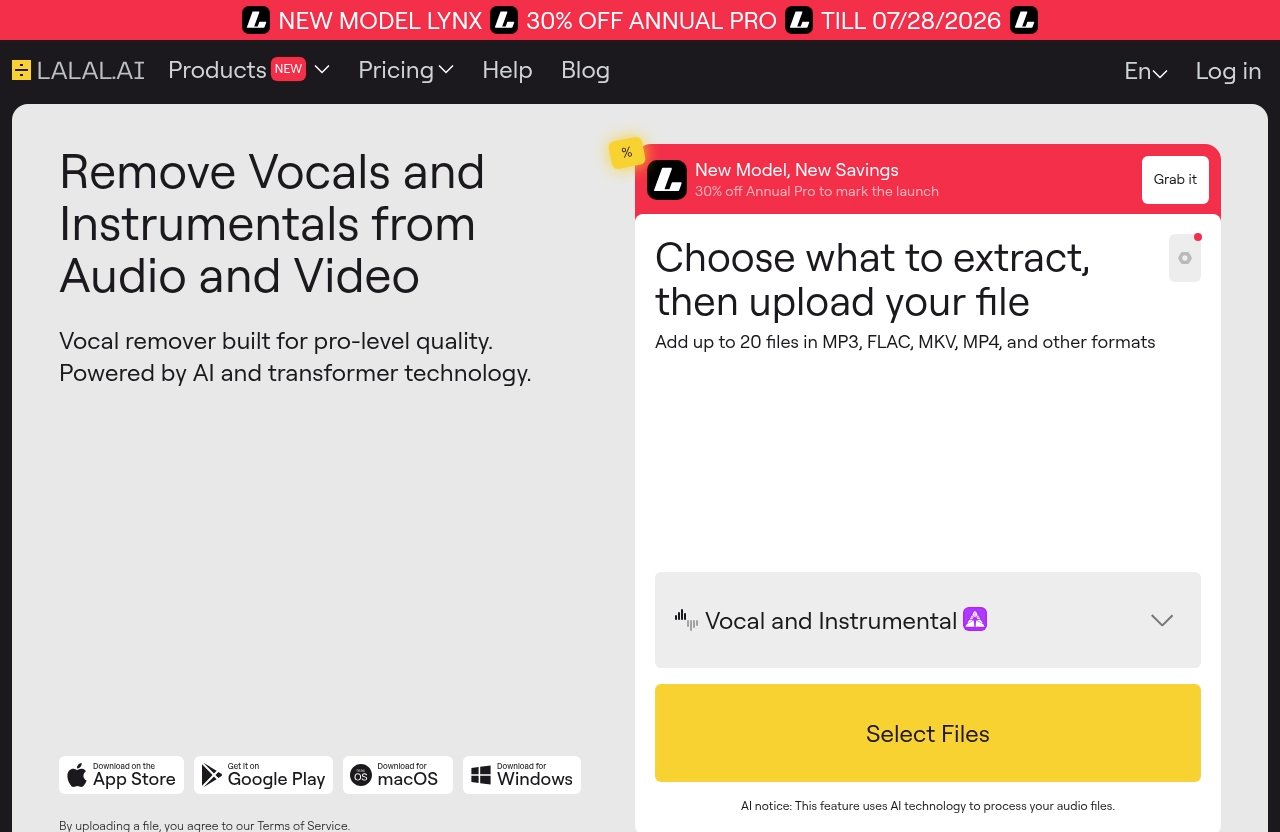
One of the clearest answers to what is LALAL.AI used for is vocal removal. The LALAL.AI vocal remover is designed to remove vocals and instrumentals from music tracks, audio clips, and video files.
This is useful when you want to hear more of the backing arrangement, prepare a rehearsal version, or make a simplified track for a performance. For example, a vocalist learning a song can remove the original lead vocal and sing along with the remaining accompaniment.
A vocal removal result is not always perfectly artifact-free, especially where a vocal overlaps heavily with guitars, synths, reverb, or stereo effects. Still, it can be an efficient first step for practice and creative work.
Extracting Instrumentals for Karaoke or Backing Tracks
Many people use LALAL.AI to remove vocals and create instrumental versions of songs. This is the foundation of a typical LALAL.AI karaoke workflow: upload a track, select the vocal separation option, and use the instrumental output as the backing track.
For a live singer, this can be useful for creating a rehearsal track without searching for a separate instrumental release. For casual karaoke, it can also make a familiar song more usable for singing at home or with friends.
When using commercial music, remember that separating a track does not automatically grant rights to perform, share, monetize, or distribute it. Make sure your intended use respects copyright, platform rules, and applicable licensing requirements.
Creating Acapellas for Remixes and Mashups
A LALAL.AI acapella workflow begins by extracting the vocal from a full song. DJs and remix artists can then place that vocal over a different instrumental, test a new tempo, or build a transition between tracks.
For example, a DJ may isolate a chorus vocal, line it up with another song’s instrumental, and use it as a draft mashup idea. A producer might extract a vocal only to study phrasing, timing, or melody before creating an original arrangement.
When people ask what is LALAL.AI used for in remixing, this is usually what they mean. It helps users get a workable vocal or instrumental starting point, although final edits may still require cleanup in a DAW.
Separating Stems for Editing and Practice
The LALAL.AI stem splitter is useful when a simple vocal-versus-instrumental split is not enough. It can extract vocals, instrumental, drums, bass, guitar, synth, string, and wind instruments from a mixed recording.
A drummer can isolate the drum portion to study a groove. A bassist can lower or remove the bass to practice playing it independently. Producers can also use separated stems to examine arrangement choices, identify layers, or create a rough edit before rebuilding an original production.
This is another important answer to what is LALAL.AI used for: giving listeners more control over a finished mix for learning, editing, and analysis.
LALAL.AI’s Key Features and Product Types
Vocal Remover
The LALAL.AI vocal remover removes vocals and instrumentals from music tracks, audio clips, and video files. It is the most relevant option for karaoke tracks, backing tracks, acapellas, and vocal-focused editing.
Use it when your main objective is to separate the singer from the music rather than isolate several instrument families individually.
Stem Splitter
The LALAL.AI stem splitter is designed for deeper music separation. According to the official product information, it can extract vocals, instrumental, drums, bass, guitar, synth, string, and wind instruments.
This option is helpful when you need to LALAL.AI separate stems for production study, rehearsal, arrangement analysis, or DAW editing. It gives a more targeted workflow than a basic vocal removal tool.
Voice Cleaner
The LALAL.AI voice cleaner removes background music, vocal plosives, microphone rumble, and other unwanted noises. It is intended for spoken voice recordings as well as other audio where distracting sound reduces clarity.
For example, a creator with an otherwise good voiceover may use it to reduce low-frequency mic rumble before editing a video. It is best treated as a cleanup tool, not a guarantee that every recording problem can be repaired.
Voice Changer
The LALAL.AI voice changer transforms and changes a voice in music, audio recordings, and video files. This can be relevant for creative sound design, alternate delivery ideas, or voice experimentation in content production.
If you are exploring what does LALAL.AI do beyond music separation, this feature shows that the platform also includes voice transformation tools. Use any altered voice responsibly and avoid misleading listeners about identity or authorship.
Voice Cloner
The LALAL.AI voice cloner builds a personalized AI voice model from your own recordings and audio samples. This is distinct from basic voice changing because it focuses on creating a model based on the user’s supplied voice material.
The LALAL.AI voice cloner may be relevant for creators who need a personalized voice workflow. Only use recordings you own or have explicit permission to use, particularly where another person’s voice is involved.
Echo & Reverb Remover
The LALAL.AI echo reverb remover is designed to remove echo and reverb from vocals, voice recordings, songs, and videos. It can be useful where room reflections make speech less direct or a vocal feels overly distant.
This may help an editor prepare a recording for further processing, but strong reverb can be difficult for any automated tool to remove cleanly. Always compare the processed version with the source and keep the one that serves the project best.
Lead/Back Splitter
The LALAL.AI lead back splitter separates lead and backing vocals with pinpoint accuracy, according to the official homepage. This can be useful when harmonies, doubles, or background parts need different treatment from the main vocal.
For a producer, separating these vocal roles can make arrangement analysis easier. For a singer, it may also help identify where the lead melody ends and supporting harmonies begin.
Who Uses LALAL.AI?
Music Producers
Music producers use LALAL.AI to evaluate arrangements, isolate reference elements, and prepare rough creative materials. A producer might isolate drums to study a groove or extract a vocal for an early remix sketch.
The platform can speed up the exploratory stage, but it does not remove the need for original production skills, detailed editing, or lawful use of source material.
DJs and Remix Artists
DJs often use separation tools to create transition ideas, test mashups, or prepare performance edits. An extracted vocal can be matched with another instrumental, while an instrumental can create space for a live mic or custom intro.
For this audience, what is LALAL.AI used for often comes down to faster preparation. The output can provide a useful draft, with timing corrections and manual cleanup completed later in DJ or production software.
Singers and Vocal Coaches
Singers and coaches can use instrumental outputs for practice, warmups, and lesson preparation. Removing the original vocal makes it easier to focus on pitch, breathing, phrasing, and performance without being led by the artist’s voice.
A coach may also isolate a vocal to discuss timing or melody with a student. These outputs are especially helpful for private learning and analysis.
Podcasters and Audio Editors
Podcasters and editors may be more interested in voice-focused tools than music separation. The LALAL.AI voice cleaner and echo removal features can support cleanup when a recording contains background music, plosives, rumble, echo, or reverb.
A careful editor should still listen through the entire processed file. Automated cleanup can change the tone of speech, so subtle settings and comparison checks matter.
Content Creators and Video Editors
Video creators may use LALAL.AI to process sound from clips, interviews, tutorials, or social videos. Because the official homepage states that vocal and instrumental removal works with video files, it can fit an edit where audio must be adjusted before the final export.
The available LALAL.AI apps also make the tool relevant for creators who switch between desktop and mobile workflows. The best approach is to process a copy, review the result, and preserve the original file.
Official website · Latest pricing & offers
How LALAL.AI Fits Common Audio Workflows
Make Karaoke Tracks From Songs
A simple karaoke workflow starts with the Vocal Remover. Upload a song, separate the vocal from the instrumental, then use the instrumental output as a practice or sing-along track.
This is arguably the most familiar example of what is LALAL.AI used for. It is straightforward for personal practice, but public use and sharing still require the appropriate rights.
Build a Remix or Mashup
For a remix concept, isolate an acapella from one track and place it over another instrumental in a DAW or DJ application. You may need to adjust tempo, key, timing, phrase boundaries, and volume before the combination works musically.
The process is useful for testing an idea quickly. It should not be confused with permission to release someone else’s vocals or composition commercially.
Isolate a Vocal for Analysis
A singer, producer, or student can extract a vocal to hear details that are less obvious in a full mix. Listening closely can reveal breath placement, doubles, harmonies, phrasing, and melodic changes.
This is a practical educational use for an isolated vocal. The separated file may contain remnants of instruments or effects, especially in dense sections, so use it as a study aid rather than an absolute reference.
Remove Background Noise From Voice Recordings
For spoken content, start with a clean copy of the original recording. The voice cleaner can address background music, vocal plosives, mic rumble, and other unwanted noise, while the echo and reverb remover can help with reflected room sound.
This workflow is most helpful when the recording is understandable but needs refinement. Severe distortion, clipping, and extremely noisy audio may need more specialized repair work.
Prepare Stems for DAW Editing
If you work in a DAW, separate the needed stems first and import them onto individual tracks. You can then edit timing, EQ, arrangement, or transitions more precisely than you could with a single stereo mix.
The official VST Plugin runs locally inside your DAW, which may suit producers who prefer an integrated workflow. Whether using the plugin or exported stems, always label versions clearly and retain the original source.
What File Types and Platforms Does LALAL.AI Support?
Audio and Video File Support
LALAL.AI is designed to process music tracks, audio clips, and video files for vocal and instrumental removal. Its voice and separation products also work with audio and video-oriented workflows.
The official homepage does not need to be interpreted as a promise that every possible file format or recording condition will work identically. Check the official upload guidance for current compatibility details before beginning a large project.
Desktop, iOS, and Android Apps
The official LALAL.AI apps and platform options include desktop support for Windows, macOS, and Linux. There are also iOS apps for iPhone and iPad, plus Android apps for phones and tablets.
This range is useful for creators who begin an edit on a phone and review or finish it on a desktop system. Platform availability can change, so confirm current requirements on the official site.
VST Plugin and API
LALAL.AI offers a VST Plugin that runs locally inside a DAW. This is relevant for producers who want separation or processing within a music-production environment.
An API is also available for developers. That option is intended for teams or builders who want to integrate supported LALAL.AI functions into their own applications or workflows.
LALAL.AI Pricing in 2026
Plans and Extras Overview
Because LALAL.AI pricing can change, readers should verify current plan names, prices, credits, usage allowances, and any included extras directly on the official pricing page before purchasing. This guide does not list figures that cannot be confirmed from the current official pricing page.
Pricing is easier to evaluate when you first estimate your workload. Consider how many songs, voice files, videos, or stem exports you expect to process and whether you need occasional use or an ongoing creative workflow.
How to Evaluate Whether the Pricing Fits Your Use Case
Start by defining the task. A singer who needs a few rehearsal instrumentals has a different need from a producer separating stems for multiple projects or an editor processing frequent voice recordings.
Also consider whether one-time processing is enough or whether desktop, mobile, VST, or API access matters to your workflow. The right choice is the plan that matches real usage without paying for capacity you will not use.
Who Should Start With a Lower Plan
A lower plan is usually the sensible starting point for casual karaoke, one-off acapella experiments, students, and creators who are still testing how often they need audio separation. It lets you judge output quality on your own source material.
If you would like to assess the service directly, you can review the current options on the official LALAL.AI site. Splitthetrack.com may earn a commission if you make a qualifying purchase through this link, at no extra cost to you.
Pros, Limits, and Best-Fit Scenarios
Where LALAL.AI Is Strongest
LALAL.AI is a strong fit for users who need a direct route to vocal removal, instrumental creation, stem separation, and voice cleanup. Its broad product list also means a creator can move between music and spoken-audio tasks without learning unrelated tools.
For users evaluating what is LALAL.AI used for, the strongest fit is often fast preparation: karaoke drafts, remix prep, practice stems, arrangement study, and basic voice cleanup.
When Another Tool May Be Better
Another solution may be more appropriate if you need detailed multitrack mixing from original session files, advanced manual spectral repair, or full mastering services. AI-generated stems are derived from a finished mix; they are not the same as receiving the original studio multitracks.
A dedicated DAW and professional restoration tools may still be needed for complex editing. Likewise, users who need licensed commercial material should seek official stems, acapellas, or instrumental versions where available.
Quality Expectations for Stem Separation
Expect results to vary by source. Clear recordings with distinct vocals and instruments generally give the AI more information to work with, while crowd noise, compression artifacts, distortion, heavy reverb, and overlapping sounds can make separation harder.
The best practice is to audition each output before using it publicly or in a final production. Treat processed stems as editable materials, not guaranteed replacements for original multitrack recordings.
How to Decide If LALAL.AI Is Right for You
Best for Karaoke and Acapella Workflows
LALAL.AI is worth considering if you regularly want backing tracks for singing practice or vocal extractions for private creative experiments. Its Vocal Remover directly supports the core process behind instrumentals and acapellas.
If your main question is what is LALAL.AI used for in this context, the answer is simple: it helps convert a mixed song into more flexible vocal and instrumental versions.
Best for Remixing and Production
For producers and DJs, the Stem Splitter and Lead/Back Splitter can support analysis, arrangement planning, mashup drafts, and remix preparation. The VST Plugin may also appeal to people who work primarily inside a DAW.
It is most useful when you understand that the separated result is a starting point. Plan to edit, align, EQ, and review the stems as part of the production process.
Best for Voice Cleanup and Content Editing
For spoken-word creators, the Voice Cleaner and Echo & Reverb Remover are the most relevant tools. They can help improve recordings affected by background music, vocal plosives, mic rumble, echo, or reverb.
Ultimately, what is LALAL.AI used for depends on your project: music separation, karaoke, acapellas, stem-based editing, or voice processing. If those are regular needs, check the official LALAL.AI page for the latest platform and pricing details before deciding.
Official website · Latest pricing & offers
FAQ
What is LALAL.AI used for?
LALAL.AI is mainly used to remove vocals, create instrumentals, make acapellas, separate stems, and clean or edit voice and audio files. It supports music, audio clips, and video-based workflows.
Can LALAL.AI make acapellas and instrumentals?
Yes. Users can extract vocals to create an acapella or remove vocals to create an instrumental backing track. Results depend on the quality and complexity of the original recording.
Is LALAL.AI good for karaoke tracks?
Yes. Creating karaoke-ready instrumentals by removing the lead vocal is one of the most common uses of LALAL.AI. Review the output before use, especially on songs with dense vocal effects.
What stems can LALAL.AI separate?
According to the official site, LALAL.AI can extract vocals, instrumental, drums, bass, guitar, synth, string, and wind instruments. It also offers lead and backing vocal separation through its Lead/Back Splitter.
Does LALAL.AI work with video files?
Yes. The official homepage states that its Vocal Remover can remove vocals and instrumentals from music tracks, audio clips, and video files.
Can I use LALAL.AI on mobile?
Yes. LALAL.AI offers iOS apps for iPhone and iPad, plus Android apps for phones and tablets. It also supports desktop use on Windows, macOS, and Linux.
Related Reading
- Lalal.AI Pricing Plans Explained in 2026
- Lalal.AI Acapella Instrumental 2026: A Practical Guide to Vocal and Music Splits
- Lalal.AI Track Splitting Review 2026: Is It Worth It for Stems?