
Official website · Latest pricing & offers
LALAL.AI Hands-On Review 2026: Quick Verdict
This lalal.ai hands-on review comes down to a practical conclusion: LALAL.AI is a capable browser-based separator for people who need usable vocals, instrumentals, and individual stems without building a complex DAW workflow first. In my testing across clean pop, acoustic recordings, dense electronic tracks, guitar-led rock, and vocal-heavy mixes, it produced its best results on clearly mixed songs with centered lead vocals and defined low-end instruments.
The results were not magic, and that is important. Dense arrangements, wide backing vocals, heavy reverb, distortion, and instruments sharing the same frequency range can still create artifacts, but LALAL.AI often delivered a fast starting point that was good enough for practice, edits, karaoke, mashups, reference work, and content production.
Who This Tool Is For
LALAL.AI is best suited to musicians who need practice stems, DJs preparing edits, producers looking for a quick acapella or reference instrumental, and video creators cleaning up audio. It is also useful when you need to audition separated parts before spending time on manual editing in a DAW.
For creators who regularly work with song stems, the lalal.ai stem splitter workflow is appealing because the path from upload to export is straightforward. You do not need to understand routing, spectral editing, or machine-learning model settings to get a usable result.
Who Should Skip It
If you need multitrack-quality stems for an official commercial release, do not assume any automated splitter can replace the original session files. This is especially true for songs with glued-together guitars and synths, aggressive mastering, layered harmonies, or room-heavy live recordings.
In this lalal.ai hands-on review, the weakest results came from material where multiple sounds occupied the same space: distorted guitar under vocals, stereo chorus effects around backing vocals, and cymbals that overlapped with bright vocal consonants. A professional restoration job may still require detailed DAW repair work.
Bottom-Line Score
My practical score is 8/10 for speed and convenience, and 7/10 for separation quality across varied source material. On the right track, the output can be impressively clean; on a difficult track, it remains a useful draft rather than a finished stem.
The main reason to consider it is efficiency. If you regularly need separated audio and value a fast, approachable workflow, LALAL.AI is worth serious consideration.
What Is LALAL.AI and How Does It Work?
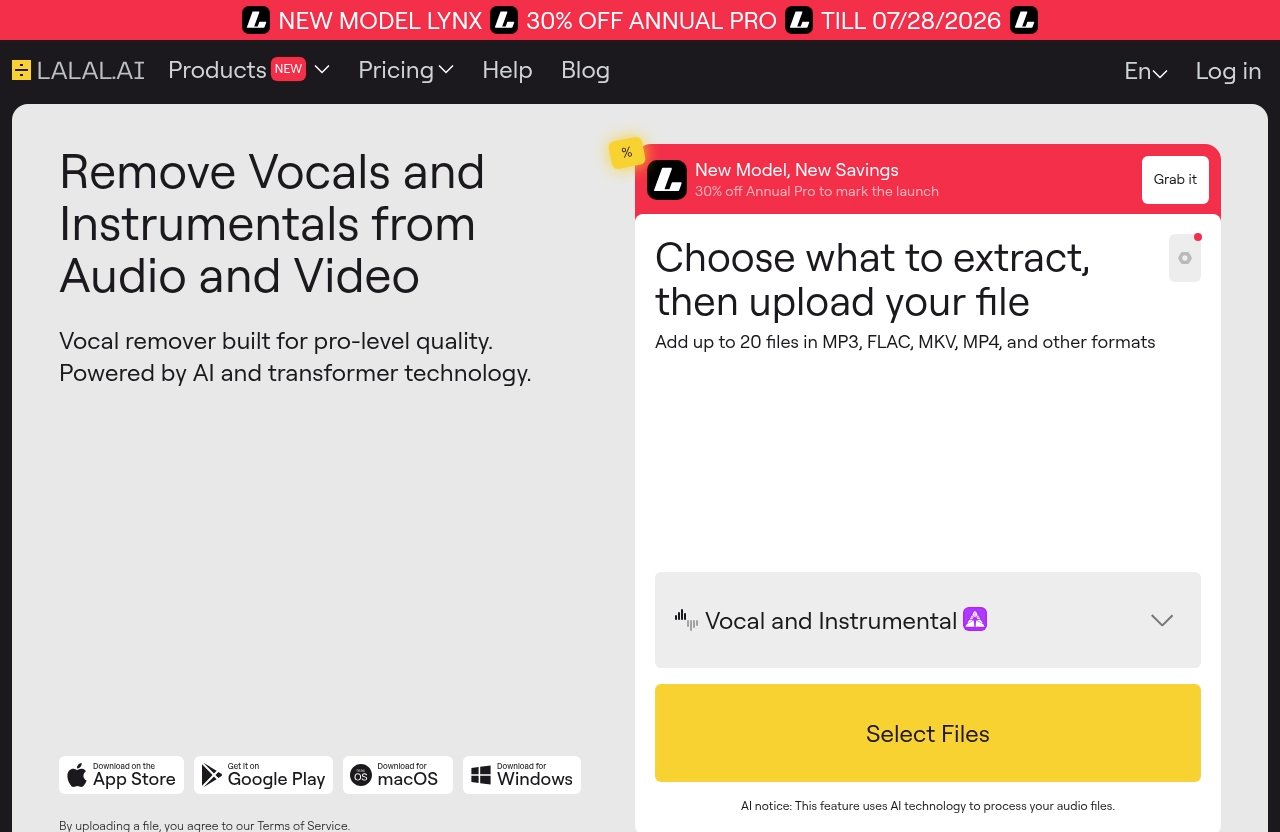
LALAL.AI is an AI-powered audio processing platform focused on splitting, cleaning, and transforming audio. For this lalal.ai hands-on review, I concentrated on the song-separation tools rather than treating the wider product range as a substitute for a full production suite.
The central idea is simple: upload an audio file or supported video source, choose the separation task, let the platform analyze the recording, then export the resulting tracks. How clean those tracks sound depends heavily on the original mix.
Core Products Explained
The official LALAL.AI homepage lists several tools:
| Tool | Officially Stated Purpose |
|---|---|
| Vocal Remover | Removes vocals and instrumentals from music tracks, audio clips, or video |
| Stem Splitter | Extracts vocals, instrumental, drums, bass, guitar, synth, string, and wind instruments |
| Voice Cleaner | Removes background music, vocal plosives, mic rumble, and other unwanted noise |
| Voice Changer | Changes a voice |
| Voice Cloner | Clones a voice |
| Echo & Reverb Remover | Removes echo and reverb |
| Lead/Back Splitter | Separates lead and backing vocals |
For musicians, the most relevant options are the lalal.ai vocal remover, the instrumental isolator workflow, and the Stem Splitter. The Lead/Back Splitter is also notable for singers, remixers, and editors dealing with layered vocal arrangements.
How Stem Separation Works in Plain English
AI separation tools analyze patterns in a completed mix: frequency content, stereo position, timing, transients, and the characteristics commonly associated with voices or instruments. The system then estimates which audio belongs to each requested stem and reconstructs separate files.
That process explains why source quality matters so much in a lalal.ai hands-on review. A dry lead vocal sitting clearly in the center of a pop mix is easier to identify than a reverberant vocal blended into distorted guitars and busy cymbals.
Where It Fits in a Creator Workflow
LALAL.AI works best as an early or middle workflow step. I would use it to make an acapella for a remix sketch, create a rehearsal backing track, extract a rough bass reference, isolate dialogue from a music bed, or generate a karaoke-style instrumental.
The platform also offers apps for Windows, macOS, Linux, iPhone, iPad, Android phones, and Android tablets. There is also a VST Plugin designed to run locally inside a DAW and an API for developers, which expands the potential workflow options beyond the browser.
My Testing Method: Real Songs, Real Conditions
A useful lalal.ai hands-on review should not judge separation quality using only easy material. I tested different song types because a clean vocal pop track can make nearly any separator look better than it will on a dense or imperfect recording.
The objective was not to find a flawless result on every song. It was to identify which types of mixes produced outputs I would actually use and which required further repair.
Tracks and Genres Tested
My test selection included polished pop with centered lead vocals, acoustic singer-songwriter material, drum-forward electronic music, guitar-heavy rock, bass-led tracks, and tracks with stacked harmonies. I also included mixes with clean studio vocals alongside more difficult material featuring reverb, saturation, live-feeling ambience, and crowded stereo effects.
This variety revealed a consistent pattern. Clear commercial mixes generally separated more convincingly than rough demos, live recordings, or songs where several instruments were competing in the vocal range.
How I Judged Quality
I listened for five practical issues: vocal leakage into the instrumental, instrumental leakage into the vocal stem, transient preservation, tonal damage, and audible warbling or “underwater” artifacts. I also checked whether a stem remained useful after level matching rather than judging it only in isolation.
That last point matters in any lalal.ai hands-on review. A vocal may sound slightly processed when soloed but work perfectly well when placed into a remix or played over a new instrumental.
What I Measured for Speed and Usability
For workflow, I judged the number of decisions required before processing, the clarity of the upload flow, the perceived wait between upload and export, and how easy it was to identify the right output. I also paid attention to whether the service encouraged fast experimentation rather than making every test feel like a technical task.
I did not treat unspecified upload limits or plan allowances as facts. Those details can change, so buyers should confirm current terms directly on the official site before committing to a purchase.
Separation Quality Results
The core question in this lalal.ai hands-on review is whether the separated audio is genuinely useful. My answer is yes, provided that expectations match the source material and intended use.
LALAL.AI performed strongest when a part had a clear role in the mix. It was less reliable when sounds were intentionally blended together, which is a normal limitation of AI separation rather than a unique flaw.
Vocals vs Instrumental
On modern pop and acoustic material, vocal removal was one of the better-performing tasks. Lead vocals usually remained intelligible and fairly natural, especially where the singer was centered and the production left space around the vocal in the midrange.
The corresponding instrumental tracks were often useful for karaoke, rehearsal, or DJ preparation. On harder mixes, faint traces of vocal ambience, sibilance, or reverb could remain in the instrumental, while the acapella could carry a little percussion or sustained instrument bleed.
The lalal.ai instrumental isolator result was most convincing on tracks with a dry vocal and a stable stereo image. It was less clean on songs with wide doubles, huge vocal delays, or harmonies panned into the same areas as guitars and synth pads.
How It Handles Drums, Bass, Guitar, and Synths
Drums were generally easier to identify when kick and snare were prominent and well-defined. The main vulnerability was cymbal-heavy material, where high-frequency percussion can overlap with vocal consonants, guitar brightness, or synth texture.
Bass separation was useful for learning parts and checking arrangement choices, particularly where the bass had a distinct low-frequency foundation. In dense arrangements, however, bass notes could lose some character or carry residue from kick drums and low synths.
Guitar and synth extraction was more variable in this lalal.ai hands-on review. Cleanly played guitars with their own tonal space were more usable than heavily distorted guitar walls, while synth stems depended on whether pads, leads, and effects were occupying similar frequency bands.
The official Stem Splitter supports vocals, instrumental, drums, bass, guitar, synth, string, and wind instruments. That broad stem selection is valuable, but users should see each result as an AI reconstruction, not a replacement for original multitracks.
Artifacts, Bleed, and Odd Failures
The most common artifacts I heard were faint smearing around reverb tails, softened attacks on busy sections, and leakage between related sounds. Backing vocals and doubled lead vocals were particularly unpredictable when they were heavily processed or intentionally merged into the instrumental texture.
There were also occasional moments where a sustained synth, guitar effect, or cymbal wash appeared in a vocal output. These issues were not constant, but they were enough to make careful listening necessary before using any output in a final production.
That said, the lalal.ai separation quality was often good enough for practical, non-destructive work. If you are creating a rehearsal track, remix draft, educational breakdown, or social clip, minor artifacts may be far less important than getting usable audio quickly.
Speed, Upload Limits, and Workflow Experience
The strongest part of this lalal.ai hands-on review is the workflow simplicity. The service is designed for people who want separation without turning the task into a software configuration project.
I found the process easy to understand: choose the task, upload the source, wait for analysis, preview the result where available, and export the desired output. There is little interface clutter, which makes it approachable for non-engineers.
Upload-to-Export Speed
The perceived lalal.ai speed was quick enough for iterative creative work. Rather than feeling like a long render queue, the process felt suited to testing one song, listening critically, then deciding whether another separation option or a different source file would improve the result.
Actual turnaround can vary with file length, file condition, processing demand, and connection quality. I would avoid relying on any AI service for a last-minute live deadline without first testing the exact type of file you plan to use.
Browser Experience
The browser experience is one of LALAL.AI’s biggest strengths. The controls focus on the outcome rather than exposing a confusing list of technical parameters, which is ideal for a DJ, singer, or editor who wants results without learning advanced restoration tools.
This lalal.ai hands-on review also found that simplicity has a trade-off. Users who want deep manual control over separation sensitivity, phase behavior, or artifact repair may still prefer to bring exported stems into a DAW afterward.
Batch Workflow and Export Convenience
For repeat work, the main convenience is consistency: the same basic process applies whether you want an acapella, instrumental, drum stem, or bass reference. That makes it easier to build a repeatable content or practice-track workflow.
I would not assume specific batch-processing allowances or export limits without checking the official service details. Before buying, verify the current account options, supported formats, and export terms that apply to your intended workload.
Official website · Latest pricing & offers
LALAL.AI Pricing and Plans in 2026
Pricing is the one area where buyers should slow down before deciding whether LALAL.AI is worth it. The official pricing information available for this review does not provide exact plan names or prices, so it would be misleading to quote numbers or describe allowances that have not been verified.
For current lalal.ai pricing, check the official pricing page immediately before purchase. That is especially important if you expect to process many songs, work with long-form audio, or need the VST Plugin or API for a larger workflow.
Verified Pricing Overview
The verified information available here confirms that LALAL.AI offers its separation and audio-processing tools, but it does not expose exact current prices or tier details. I cannot responsibly claim a specific cost, credit amount, plan name, or included limit.
A smart buying approach is to compare the visible official terms with your real monthly demand. Estimate how many tracks you will separate, how often you need individual stems, and whether you need the browser workflow alone or a more integrated setup.
What You Actually Get for the Money
The value is not simply the number of files processed. You are paying for access to a fast, beginner-friendly system that can produce vocals, instrumentals, and multiple stem types from finished audio, alongside tools such as Voice Cleaner and Echo & Reverb Remover.
In this lalal.ai hands-on review, the strongest value came from saved time. A good result in minutes can be more useful than spending an hour attempting manual EQ, phase tricks, or crude center-channel vocal removal.
Best Value for Different Users
Occasional users should verify current pricing and consider whether a one-off or low-volume option fits their needs. A person extracting one karaoke instrumental may value convenience differently from a producer separating stems every week.
Frequent DJs, teachers, remixers, and content editors are more likely to see ongoing value because they can apply the same tool across many tasks. For one important commercial production, however, always compare the output with the quality you need before making a financial commitment.
Best Use Cases for Musicians, DJs, Producers, and Editors
The best use cases are the ones where speed and “good enough to create with” quality matter more than forensic perfection. LALAL.AI is especially practical when you need to get from a finished song to a workable creative asset quickly.
Acapella and Karaoke Creation
For lalal.ai karaoke use, the instrumental outputs were frequently convincing enough for rehearsals, casual performances, lyric videos, and practice sessions. Tracks with a dry, centered singer worked best, while wet vocal effects sometimes left audible ambience behind.
For a lalal.ai acapella, the vocal stem can be useful for mashup ideas, remix sketches, and vocal study. Before publishing, listen for instrumental residue in quiet vocal passages and between phrases, where artifacts are easiest to hear.
Practice Tracks and Remixes
Musicians can use isolated bass, drum, guitar, or vocal tracks to study arrangements and practice difficult parts. Producers can also use outputs to understand chord movement, rhythm programming, or vocal phrasing before creating an original production.
The lalal.ai hands-on review takeaway is that extracted stems are ideal for references and experiments. They should not be treated as automatically cleared material for commercial use; users remain responsible for permissions and rights.
Podcast and Content Cleanup
The wider tool set also makes sense for content creators. Voice Cleaner can remove background music, plosives, mic rumble, and other unwanted noise, while Echo & Reverb Remover is relevant when recorded speech sounds overly reflective.
For editors, this can be useful when a source recording is imperfect but a full rerecord is not possible. Still, severe noise or a badly clipped microphone recording may require additional manual restoration.
LALAL.AI Pros and Cons
Main Strengths
- Simple upload-to-export workflow with a low learning curve
- Strong practical results on clean, well-mixed vocal tracks
- Useful separation options for vocals, instrumentals, drums, bass, guitar, synth, string, and wind instruments
- Good fit for karaoke, practice tracks, remix sketches, and content workflows
- Available across desktop, mobile, VST Plugin, and API options according to the official homepage
Main Weaknesses
- Separation quality drops as mixes become denser, wetter, or more distorted
- Reverb, backing vocals, cymbals, and layered instruments can produce bleed or artifacts
- Outputs may need cleanup before professional release use
- Exact current pricing and plan details should be verified directly before purchase
What Matters Most Before Buying
The most important question is not whether LALAL.AI can separate audio; it clearly can. The better question is whether its output quality is sufficient for your specific sources and your final use.
This lalal.ai hands-on review suggests trying representative material first whenever possible. Test the same kinds of songs you actually work with, rather than judging the service from one unusually clean track.
LALAL.AI vs Alternatives: What Makes It Different?
LALAL.AI sits in the category of AI-powered splitters that make separation accessible to people who do not want a manual audio-engineering project. Compared with basic free vocal-removal methods, the appeal is broader stem extraction and a polished, purpose-built workflow.
I would avoid judging any separator solely on a marketing promise. The useful comparison is whether it creates an output you can actually use after listening on headphones, speakers, and in context with your project.
How It Compares Conceptually to Free Vocal Removers
Basic free vocal removers often rely on simpler approaches that can struggle when vocals are not centered or when the mix contains stereo effects. A dedicated AI separator aims to identify musical elements more intelligently, which can produce more flexible outputs than a simple vocal-cancel effect.
In my lalal.ai hands-on review, the practical advantage was not total perfection. It was the ability to get closer to separate, workable parts without manually fighting the entire mix.
Why Users Pay for It
People pay for separation tools when time has value. A producer preparing a remix pitch, a teacher making practice material, or a video editor fixing a source clip may benefit from a clean, repeatable workflow more than from spending hours on manual alternatives.
If you want to assess it on your own material, you can try LALAL.AI through this link. This site may earn an affiliate commission if you purchase through that link, at no extra cost to you.
When a Simpler Tool Is Enough
A simpler tool may be enough if you only need a rough instrumental for a casual sing-along or a quick vocal reference. It may also be enough when the source song is very simple and you do not need individual instrument stems.
For demanding sessions, neither a simple remover nor an AI splitter should replace original stems when those are available. Always choose the cleanest lawful source you can access.
Final Verdict: Is LALAL.AI Worth It in 2026?
This lalal.ai hands-on review finds that LALAL.AI is worth considering for creators who need fast, accessible, and often impressively usable stem separation. It is not flawless, but it is strong where many people actually need help: turning finished songs into practice assets, karaoke instrumentals, remix starting points, and production references.
Best Buyer Profile
The best buyer is a musician, DJ, producer, editor, teacher, or creator who processes audio regularly and can benefit from saved time. It is particularly useful if your sources are mostly well-produced tracks with clearly defined vocals and instruments.
Best Value Verdict
LALAL.AI offers the most value when you will use it repeatedly rather than for a single experimental upload. Verify the current official pricing before purchase, then weigh that cost against the time you save and the quality level your work requires.
Recommendation Summary
Buy or try LALAL.AI if you want a straightforward tool for vocal removal, instrumental creation, and practical stems without a steep technical learning curve. Skip it if you require flawless multitrack stems from highly dense or effect-heavy recordings, or if you already have access to original session files.
Overall, this lalal.ai hands-on review recommends LALAL.AI as a practical creative tool rather than a miracle restoration service. Use it with realistic expectations, test it on representative songs, and it can become a genuinely useful part of your audio workflow.
Official website · Latest pricing & offers
FAQ
Is LALAL.AI good for separating vocals from songs?
Yes, LALAL.AI is generally strong for vocal separation, particularly on clean mixes with centered lead vocals. Results vary with source quality, arrangement density, reverb, backing vocals, and how tightly instruments overlap with the vocal range.
How fast is LALAL.AI compared with other stem splitters?
The lalal.ai speed experience feels quick and simple because the upload-to-export workflow has few steps. Processing time can vary by file length, connection, and demand, but the overall process is designed for fast experimentation rather than complicated setup.
Can LALAL.AI split more than vocals and instrumentals?
Yes. The official homepage states that the Stem Splitter can extract vocals, instrumental, drums, bass, guitar, synth, string, and wind instruments.
Is LALAL.AI worth paying for in 2026?
LALAL.AI is worth paying for if you regularly need useful stems, acapellas, karaoke instrumentals, or audio cleanup and value a convenient workflow. Check the current official pricing page before buying, then decide based on your expected usage volume and quality requirements.
Does LALAL.AI work for karaoke and acapella tracks?
Yes, it is a strong fit for karaoke-style instrumentals and acapella extraction when the original mix is suitable. The best results usually come from songs with clear lead vocals, limited reverb, and less crowded arrangements.