
If you are evaluating LALAL.AI for stems in 2026, the real question is not “Can it split audio?” It is whether it can save enough time, unlock enough deliverables, or create enough sellable versions to justify adding it to your workflow.
For producers, DJs, editors, podcasters, educators, and content teams, stem separation is most valuable when it turns one mixed file into useful assets: a karaoke version, a drum loop reference, a cleaner interview clip, a remix starting point, or a batch of client-ready variations. This review focuses on profitable, practical workflows rather than just listing features.
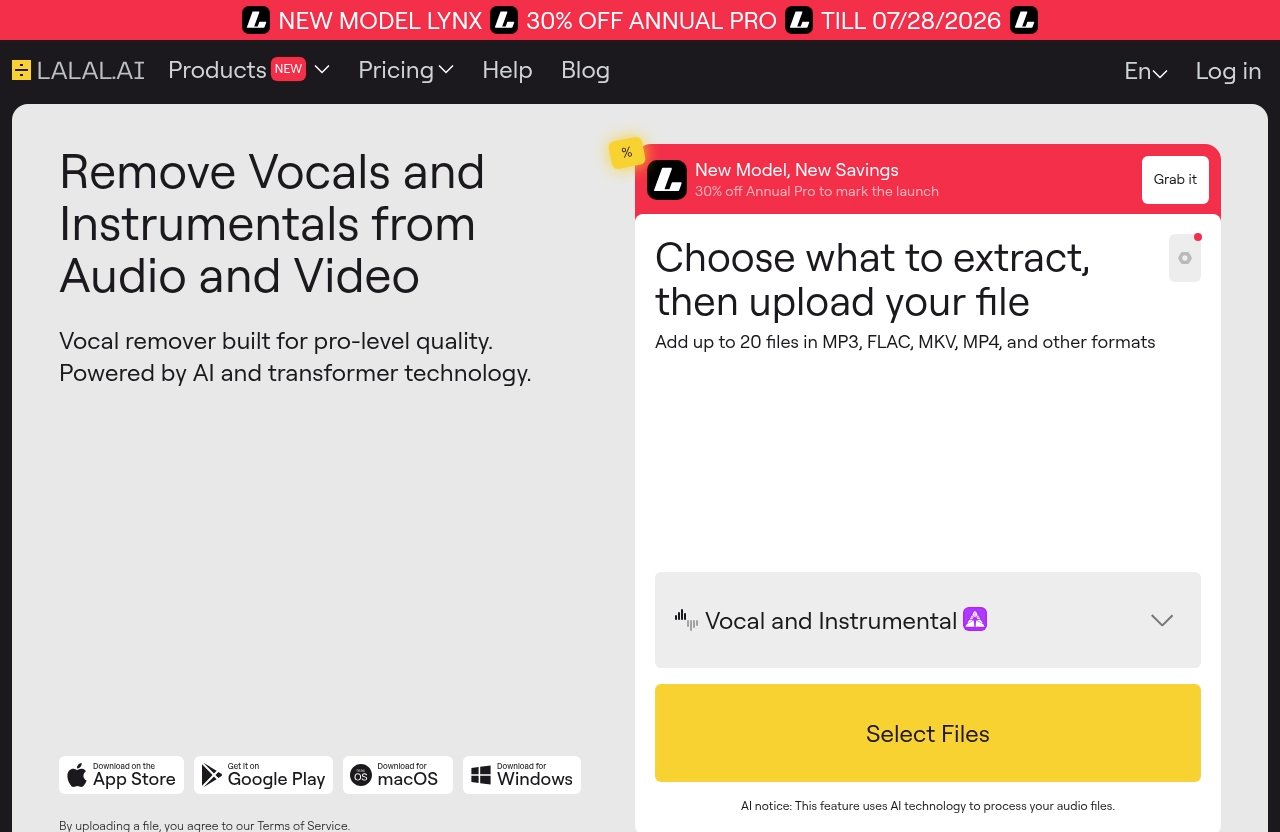
LALAL.AI positions itself as a tool to “Remove Vocals and Instrumentals from Audio and Video,” with AI and transformer technology powering its vocal remover and stem-splitting tools. You can try it through the official site here: LALAL.AI.
Official website · Latest pricing & offers
What LALAL.AI for stems is and who it is for
Core stem-splitting capability
LALAL.AI for stems is an AI-powered music source separation tool that extracts useful parts from mixed audio or video files. According to the official homepage, its Stem Splitter can extract vocals, instrumental, drums, bass, guitar, synth, string, and wind instruments.
That makes it more than a basic vocal remover for stems. It is closer to a practical audio stem separation toolkit for creators who need workable parts quickly, especially when original multitracks are unavailable.
The official product lineup also includes Vocal Remover, Stem Splitter, Voice Cleaner, Voice Changer, Voice Cloner, Echo & Reverb Remover, and Lead/Back Splitter. For this article, the main focus is the LALAL.AI stem splitter and related creator workflows where isolated parts can become billable or reusable assets.
Best-fit users in 2026
The strongest fit for LALAL.AI for stems is someone who regularly handles finished songs, interviews, social clips, performance videos, or reference tracks and needs to separate elements without rebuilding the project from scratch.
Typical best-fit users include:
| User type | Practical reason to use stem splitting |
|---|---|
| Music producers | Create remix stems, study arrangements, isolate drums or bass |
| Video editors | Clean speech, reduce music bleed, prep social clips |
| DJs | Build karaoke, intro edits, mashups, and event versions |
| Podcasters | Improve voice-focused clips from mixed audio |
| Educators | Make practice tracks, tutorials, and transcription references |
| Agencies | Process batches of content assets for campaigns |
| Studios | Speed up prep work before editing, mixing, or client revisions |
This is especially useful when speed matters more than perfect forensic separation. If a client needs a same-day backing track, rough remix prep, or social edit, an AI stem splitter can be a practical production shortcut.
Where it fits in a modern audio workflow
In a modern workflow, LALAL.AI for stems usually sits before the DAW, NLE, or editing suite. You upload or import the source, separate the needed stem, preview the result, then bring it into your production environment for editing, mixing, restoration, or creative processing.
The official platform coverage is broad: desktop apps for Windows, macOS, and Linux; iOS apps for iPhone and iPad; Android apps for phones and tablets; a VST Plugin that runs locally inside your DAW; and an API for developers. That matters because stem splitting is often not a single-user task anymore. It can be part of a studio template, mobile content workflow, or developer-led automation pipeline.
For paid work, the best mindset is simple: do not treat audio stem separation as magic. Treat it as a fast pre-production assistant that can create usable material when the source audio is clean enough and the intended deliverable does not require pristine multitrack quality.
How to evaluate LALAL.AI for stems before buying
Quality factors that matter most
When testing LALAL.AI for stems, focus on the artifacts that will actually affect your deliverable. The most common issues with any music source separation tool are watery high-end, phasey leftovers, cymbal smearing, vocal ghosts, transient damage, and low-frequency leakage.
A good evaluation should include different source types:
- A dense modern pop mix with layered vocals
- A live recording with room bleed
- A simple acoustic track
- A bass-heavy electronic track
- A video clip with speech over music
- A track with backing vocals or harmonies
Do not judge only from solo playback. A stem that sounds imperfect by itself may work well under a new beat, in a tutorial, or as a low-volume reference layer. Conversely, a stem that sounds impressive in isolation may fall apart when compressed, stretched, or pitched.
Speed, batch workflow, and file support
The official Google Play listing says LALAL.AI supports audio and video files, mentions batch upload, and says unlimited previews are available. Those details matter commercially because the best stem splitter for editors or agencies is not always the one with the most impressive demo; it is the one that reduces repetitive labor.
For LALAL.AI for stems, evaluate speed in the context of your workflow:
| Workflow need | What to test |
|---|---|
| One-off remix | Preview quality on vocals, drums, and bass |
| Karaoke delivery | Vocal removal quality and instrumental cleanliness |
| Podcast clip cleanup | Speech clarity after removing music or bleed |
| Agency batches | Batch stem splitting and review process |
| DAW production | Whether the VST Plugin fits your session workflow |
| App-based editing | Mobile access on iOS or Android |
If you handle many files per week, batch stem splitting may be more valuable than a tiny quality difference between tools. Time saved on upload, previewing, naming, exporting, and review can become the real ROI.
When stem splitting quality is good enough for client work
For client work, “good enough” depends on the promise you make. If you promise official multitrack-quality stems from a released master, you are setting the wrong expectation. If you promise a usable karaoke version, remix prep, rehearsal track, or cleaned social clip, LALAL.AI for stems can be a sensible option to test.
Use this decision rule:
| Deliverable | Quality bar |
|---|---|
| Karaoke or backing track | Minimal lead vocal residue, stable instrumental |
| Remix draft | Usable groove, hook, or texture after processing |
| Podcast/social clip | Voice intelligibility improves clearly |
| Education/practice | Part is clear enough to learn from |
| Final commercial sync | Requires extra caution and rights clearance |
Always check rights and permissions before processing copyrighted material for public or commercial use. Stem separation does not remove copyright obligations, and clients should understand that extracted stems are not the same as licensed multitracks.
Use case 1: Vocal removal for karaoke, backing tracks, and sing-along content
YouTube creators and event DJs
One of the fastest commercial uses for LALAL.AI for stems is vocal removal. A karaoke track maker workflow can turn a finished song into a sing-along version, backing track, rehearsal file, or event edit.
For YouTube creators, this can support lyric videos, cover prep, music education, or performance content. For event DJs, vocal removal can help create quick backing versions for weddings, corporate events, school shows, and themed parties.
A practical workflow looks like this:
- Start with the cleanest available source file.
- Use the vocal remover for stems to separate vocals from instrumental.
- Preview the instrumental for vocal residue.
- Bring the backing track into your DAW or editor.
- Apply EQ, fades, volume automation, and limiting.
- Export a version matched to the event or content format.
Client delivery for karaoke versions
For paid delivery, the value is turnaround. If a singer needs a practice track by tomorrow, rebuilding the instrumental from scratch is rarely economical. LALAL.AI for stems can make that job more realistic, as long as expectations are clear.
You should describe the result as an AI-generated karaoke or backing version, not an official instrumental. Some songs separate beautifully because the vocal is centered and the arrangement leaves space. Others are difficult because the lead vocal shares frequency space with guitars, synths, reverb tails, or backing vocals.
A simple client QA checklist helps:
- Is the lead vocal mostly removed?
- Are drums and bass still strong?
- Are chorus sections acceptable?
- Are reverb tails distracting?
- Does the track still work at performance volume?
When this use case pays off fastest
This use case pays off fastest when you can package the output as part of a larger service: rehearsal prep, event audio editing, cover performance production, or content creation. The stem split is not the product by itself; the finished, organized, client-ready version is.
For creators already earning from music content, LALAL.AI for stems can reduce prep time. The ROI is strongest when you process multiple songs, build repeatable templates, and avoid spending hours manually editing around vocals.
Use case 2: Drum extraction for remixing, beat flips, and sample layering
Producer workflow for sampling
Drum isolation is one of the most useful reasons producers test LALAL.AI for stems. Extracted drums can help you study groove, build remix foundations, create beat flips, or layer transient energy under a new production.
A producer-friendly workflow might be:
- Split the drums from the full track.
- Import the drum stem into your DAW.
- Identify clean bars or fills.
- Chop, warp, or slice sections.
- Layer new kicks, snares, or percussion.
- Use the extracted drums as reference, texture, or rhythmic inspiration.
This is not only for hip-hop or electronic producers. Rock, pop, trailer, and sync producers can use drum stems to understand arrangement energy and transitions.
Drum replacement and reinforcement
Drum extraction can also help with rebuilding a weak mix reference. If a client sends a stereo demo and wants a stronger modern feel, isolating drums can reveal what is happening rhythmically before you recreate or reinforce the part.
In practice, LALAL.AI for stems is often most useful here as an analysis and support tool. You may not use the extracted drum stem naked in the final mix, but you can use it to trigger ideas, line up replacement samples, or preserve a groove while rebuilding the track.
For remix stems, the extracted drums can be filtered, saturated, gated, or tucked under newly programmed drums. Even imperfect separation can work creatively when the stem is treated as texture rather than a clean solo.
Risks to watch in complex mixes
The main risk with drum isolation is bleed from vocals, bass, guitars, or synth transients. Cymbals and hi-hats are especially difficult in dense mixes because they share high-frequency space with vocal consonants, guitars, noise, and reverb.
Before using drum extraction in paid work, check:
- Do cymbals sound metallic or watery?
- Is the kick losing weight?
- Are snare transients smeared?
- Is vocal bleed obvious in quiet sections?
- Does compression make artifacts worse?
If artifacts are noticeable, use the stem as a guide or layer rather than a featured element. That skeptical approach keeps LALAL.AI for stems useful without overpromising what source separation can do.
Use case 3: Bass isolation for arrangement study and low-end rebuilding
Transcribing grooves
Bass isolation is valuable because low-end parts are often hard to hear in full mixes, especially on laptop speakers or dense arrangements. With LALAL.AI for stems, producers, bassists, and educators can isolate the bass line and study note choices, rhythm, slides, and phrasing.
This is useful for:
- Bass transcription
- Cover band prep
- Music lessons
- Groove analysis
- Arrangement breakdowns
- Ear training references
For educational use, the separated bass does not need to sound release-ready. It only needs to reveal enough information to support learning.
Rebuilding low-end in modern mixes
Bass isolation can also support mix repair and demo rebuilding. If a client only has a stereo bounce of an old idea, isolating the bass can help you understand the original low-end movement before replacing it with a cleaner synth bass, 808, or live bass take.
A practical bass isolation workflow:
- Extract the bass stem.
- Low-pass or clean the result if needed.
- Map the groove against the grid.
- Recreate the part with a new instrument.
- Blend or replace depending on quality.
- Check the rebuilt low-end on multiple speakers.
This is where LALAL.AI for stems can have real production value. You are not relying on the extracted bass to be perfect; you are using it to save the time you would otherwise spend guessing the part.
Creative references for producers
Bass stems are also strong creative references. Producers can analyze how a bass line interacts with drums, when it drops out, where it follows the kick, and how it changes between verse and chorus.
For a stem splitter for producers, that type of arrangement insight is often more valuable than clean extraction. You are learning how records move, breathe, and create momentum.
Just be careful with copyrighted material. If you use bass isolation to create a reference or study file, that is different from commercially releasing a derivative work. Always verify rights and permissions when material leaves your private workspace.
Use case 4: Guitar, piano, synth, string, and wind extraction for editing and practice
Transcription and practice tracks
The official Stem Splitter capabilities include guitar, synth, string, and wind instruments, and the homepage also identifies the tool as extracting key musical elements such as vocals, instrumental, drums, and bass. In practical terms, LALAL.AI for stems can help musicians focus on parts that are buried in a full arrangement.
For guitarists, keyboardists, horn players, string players, and teachers, isolated parts can support practice and transcription. You can slow down a passage in your DAW, loop a section, or create a minus-one practice version.
This is especially useful for:
- Learning solos
- Studying chord voicings
- Practicing accompaniment
- Creating lesson examples
- Building rehearsal materials
Sound design and layering
For producers and sound designers, extracted instrument parts can become textures. A synth stem might become a pad layer. A string part might become a reversed transition. A guitar phrase might inspire a new chop.
Again, LALAL.AI for stems works best when you think creatively rather than expecting studio-isolated multitracks. If an extracted instrument has minor artifacts, you can often hide them with filtering, reverb, distortion, chopping, or layering.
A typical creative workflow:
- Extract the target instrument.
- Find the cleanest phrase or section.
- Trim and warp it in your DAW.
- Apply EQ to remove leakage.
- Add creative processing.
- Use it as a layer, not necessarily the main feature.
Educational content and tutorials
Educators can use audio stem separation to make clearer teaching materials. For example, a music teacher might isolate a wind part for a student, create a backing version without the target instrument, or demonstrate how a synth line supports the harmony.
For YouTube educators and course creators, LALAL.AI for stems can speed up the process of preparing examples. The commercial angle is not just saving time; it is producing more lessons, breakdowns, and practice assets without needing original session files.
If you publish educational content, be careful about rights. Short examples, commentary, and teaching contexts may still require legal judgment depending on your region, platform, and use case.
Official website · Latest pricing & offers
Use case 5: Vocal cleanup for podcast, interview, and social video editing
Removing music or unwanted bleed
Not every stem-splitting job is music production. For editors, LALAL.AI for stems can be useful when speech is trapped inside mixed audio or video. The official product lineup includes Voice Cleaner, and the platform is positioned around removing vocals and instrumentals from audio and video.
A common editor problem is repurposing a video where someone is speaking over background music. If you can reduce the music or separate the voice enough to improve intelligibility, the clip may become usable for shorts, ads, reels, podcast promos, or internal content.
This is where a video stem splitter workflow can matter. Instead of asking for the original project file, an editor can test whether the voice can be salvaged from the exported clip.
Fast cleanup for repurposed clips
Content teams often inherit messy files: webinar exports, livestream clips, event recordings, phone videos, and social posts with baked-in music. LALAL.AI for stems can help determine whether those assets are worth editing.
A practical repurposing workflow:
- Import the audio or video file.
- Separate the voice or reduce the music bed.
- Preview the speech for clarity.
- Export the usable stem.
- Edit in your NLE.
- Add captions, EQ, compression, and final loudness control.
For agencies, this can turn old content into new deliverables. A single improved interview clip can become a LinkedIn post, a YouTube Short, a sales page embed, or a podcast teaser.
When to pair with noise reduction
Stem splitting and noise reduction are not the same thing. LALAL.AI for stems can help separate musical or vocal elements, but traditional noise reduction, de-clicking, de-essing, EQ, and compression may still be needed.
Use stem separation first when the main issue is music bleed, instrumental backing, or mixed audio. Use noise reduction when the main issue is hiss, hum, fan noise, mouth clicks, or room tone.
For paid editing, the best results usually come from combining tools. Stem separation gets you closer to the voice; restoration and mixing make the voice sound finished.
Use case 6: Lead/back vocal separation for remixing and mix analysis
Isolating hooks and harmonies
The official product lineup includes Lead/Back Splitter, which is important for remixers, vocal producers, and music educators. Lead and backing vocals often behave differently in a mix, and separating them can reveal arrangement details that a normal vocal extraction misses.
With LALAL.AI for stems, the lead/back splitter use case is especially useful when the hook is strong but the backing stack is cluttering your remix plan. You may want the lead vocal for a club edit, the harmonies for a breakdown, or the backing vocals as a texture.
This can support:
- Remix prep
- Acapella arrangement
- Harmony study
- Vocal production references
- Cover version planning
Reference tracking for singers and producers
Singers can use lead and backing vocal separation to learn parts more efficiently. Producers can use it to study doubles, ad-libs, response lines, and harmony placement.
For example, a vocal coach might isolate backing vocals so a student can practice harmony against the lead. A producer might study how a chorus widens by comparing the lead vocal against the backing stack.
This is where LALAL.AI for stems becomes more than a simple acapella maker. It can help users understand vocal architecture, not just remove instruments.
Arrangement deconstruction
Arrangement deconstruction is one of the highest-value educational uses of stem splitting. By separating lead and backing vocals, drums, bass, and instrumental parts, you can understand how a record builds tension and release.
A useful analysis method:
- Listen to the full mix.
- Extract the vocal and instrumental.
- Extract drums and bass.
- Use lead/back separation for vocal sections.
- Map entries, exits, doubles, and ad-libs.
- Apply the lesson to your own production.
For remixers and producers, LALAL.AI for stems can shorten the time between “I like this record” and “I understand why it works.”
Use case 7: Batch stem splitting for agencies, content teams, and studios
Multiple files at once
The official app listing mentions batch upload, which makes LALAL.AI for stems more interesting for teams. If you only split one song per month, batch processing is convenient. If you handle dozens of files, it becomes operationally important.
Batch stem splitting can help with:
- Podcast networks processing episode clips
- Agencies repurposing client videos
- DJs preparing event libraries
- Studios organizing references
- Educators creating course assets
- Developers building automated audio workflows
The commercial benefit is throughput. A team can process multiple assets, review previews, and move only the best candidates into final editing.
Repeatable QA process
For teams, quality control matters more than individual experimentation. Create a repeatable QA checklist so everyone judges stems consistently.
A simple QA table can look like this:
| Check | Pass criteria |
|---|---|
| Vocal residue | Not distracting in final use |
| Instrument bleed | Acceptable after EQ or editing |
| Timing | No obvious drift or alignment issue |
| Artifacts | Not exposed by compression or limiting |
| Rights | Source material cleared for intended use |
| Naming | Files labeled by project, stem, and version |
When using LALAL.AI for stems in a team, the process should be documented. That prevents wasted revisions and helps junior editors know when a stem is usable, needs processing, or should be rejected.
How teams save production hours
Teams save time when stem splitting reduces hand-editing, avoids re-recording, or turns unusable mixed files into workable assets. This is especially true for social content, where speed and volume often matter as much as polish.
The best team workflow is not “upload everything and hope.” It is:
- Sort files by commercial priority.
- Test previews on representative assets.
- Batch process likely winners.
- Review stems against the intended deliverable.
- Push approved files into editing templates.
- Archive rejected stems with notes.
For agencies and studios, LALAL.AI for stems is most valuable when paired with a clear production pipeline. The tool saves hours only if the team avoids rechecking the same problems manually.
Best pricing and plan considerations for stem-splitting users
How to think about plans and extras
The provided official pricing facts do not include exact plan names, dollar prices, or package details, so it would be misleading to invent them. What is verified is that the official homepage and pricing page hero show “30% OFF ANNUAL PRO TILL 07/28/2026.” Treat that as a time-limited promotion visible on official pages, not as a permanent pricing feature.
If you are evaluating LALAL.AI for stems, check the current official pricing page before buying. The right plan depends less on the label and more on how many files you process, whether you need team throughput, and whether you use the desktop apps, mobile apps, VST Plugin, or API.
A practical buying checklist:
| Question | Why it matters |
|---|---|
| How many files do I process monthly? | Determines whether casual or higher-volume usage makes sense |
| Do I need batch upload? | Important for agencies and content teams |
| Do I work in a DAW? | The VST Plugin may fit producer workflows |
| Do I process video? | Useful for editors and social teams |
| Do I need developer access? | API matters for automation |
| Can previews confirm quality first? | Reduces buying risk |
Who should choose annual vs monthly-style buying behavior
Without verified exact pricing, the safest way to compare annual versus monthly-style buying behavior is by workload. If you only need LALAL.AI for stems for a single project, a short-term approach may be more sensible. If stem splitting is part of your weekly production work, annual-style buying behavior may be easier to justify.
The official pages currently show a time-limited annual promotion until 07/28/2026, but you should verify the offer directly before making a decision. Promotions change, and the best choice should be based on your actual file volume and commercial output.
If you are not sure, start by testing previews against your own material. You can review LALAL.AI through the official site and compare results before committing: check LALAL.AI here.
How to estimate ROI from time saved
The ROI of LALAL.AI for stems is easiest to understand in hours saved. If stem splitting saves 20 minutes on a client edit and you process 30 assets per month, that is 10 production hours recovered.
Use this simple estimate:
| Input | Example |
|---|---|
| Files processed per month | 30 |
| Time saved per file | 20 minutes |
| Monthly time saved | 10 hours |
| Hourly value of work | Your editing or production rate |
| ROI logic | Time saved × hourly value compared with tool cost |
For creators, ROI may also come from output volume. Faster karaoke versions, remix drafts, tutorials, podcast clips, and social videos can mean more publishable assets. That is the commercial argument for an AI stem splitter: not perfection, but more usable work in less time.
LALAL.AI stem-splitting workflow tips for better results
Prepare source files before upload
The quality of LALAL.AI for stems depends heavily on the source. Clean, full-quality files usually give the AI more useful information than heavily compressed, distorted, noisy, or clipped files.
Before upload, check:
- Avoid clipped masters when possible.
- Use the cleanest source available.
- Trim unnecessary silence or unrelated sections.
- Avoid files with excessive noise or distortion.
- Keep a backup of the original.
- Note whether the source is audio or video.
If you are working from video, listen to the audio first. A visually sharp clip can still have poor sound, heavy room reflections, or baked-in compression that limits separation quality.
Choose the right stem for the job
Do not split every possible stem just because you can. Choose the target based on the deliverable.
For example:
| Goal | Best first stem to test |
|---|---|
| Karaoke version | Vocal/instrumental separation |
| Remix groove | Drums and bass |
| Podcast cleanup | Voice-focused separation or cleaning |
| Music lesson | Target instrument stem |
| Harmony study | Lead/back splitter |
| Social video edit | Audio or video stem splitter workflow |
| Agency batch | Most common deliverable stem first |
This keeps LALAL.AI for stems efficient. The more precise your goal, the easier it is to judge whether the result is usable.
Review previews before exporting
The official app listing says unlimited previews are available, and previews are one of the best ways to reduce buying risk. Before exporting, listen for the specific problems that could affect your final product.
Preview on more than one playback system if the work is paid. Headphones reveal artifacts; speakers reveal whether the stem works in context. If the final deliverable is a social clip, test it at realistic phone volume too.
A practical preview checklist:
- Solo the stem.
- Listen in the full edit context.
- Check loud sections and quiet sections.
- Watch for artifacts after EQ or compression.
- Compare against the original.
- Decide whether the stem is final, support, or reference only.
This is the most honest way to evaluate LALAL.AI for stems. The tool may be excellent for one file and only partially useful for another because source complexity matters.
Official website · Latest pricing & offers
FAQ
Is LALAL.AI good for stems in 2026?
Yes, LALAL.AI for stems is a strong option for fast stem extraction and creator/editor workflows in 2026, especially when the goal is practical output rather than lab-level forensic separation. It is best for users who need karaoke versions, remix prep, vocal cleanup, practice tracks, or batch workflow speed.
Results still depend on the source material. Dense mixes, heavy reverb, distortion, and low-quality audio can limit separation quality.
What stems can LALAL.AI separate?
The official Stem Splitter can extract vocals, instrumental, drums, bass, guitar, synth, string, and wind instruments. The official product lineup also includes a Lead/Back Splitter for separating lead and backing vocals.
That makes LALAL.AI for stems useful for music producers, editors, DJs, educators, and content teams who need more than a basic vocal remover.
Can I use LALAL.AI for commercial work?
LALAL.AI for stems is suited to commercial workflows such as client edits, karaoke versions, remix preparation, content production, podcast cleanup, and educational assets. The commercial value comes from faster turnaround and more usable deliverables.
However, you should verify rights and permissions for any copyrighted source material you process or publish. Stem separation does not automatically grant usage rights.
Does LALAL.AI support video files?
Yes. The official positioning mentions removing vocals and instrumentals from audio and video, and the official app listing says LALAL.AI supports audio and video files.
That makes it relevant as a stem splitter for editors, especially when speech, vocals, or music are baked into exported video clips.
Is batch processing available?
Yes. The official app listing mentions batch upload, which allows multiple files to be processed in one go.
Batch stem splitting is especially useful for agencies, content teams, DJs, educators, and studios that handle many assets and need a repeatable review workflow.
Does LALAL.AI offer previews before exporting?
The official app listing says unlimited previews are available. That is important because previews let you test LALAL.AI for stems against your own material before deciding whether the result is good enough for your project.
Use previews to check vocal residue, drum artifacts, bass leakage, speech clarity, and overall usefulness in context.
For creators and editors who need fast, practical audio stem separation, LALAL.AI for stems is worth considering in 2026. It is strongest for karaoke/backing tracks, remix prep, drum isolation, bass isolation, vocal cleanup, lead/back vocal study, and batch production workflows. If you need guaranteed pristine multitracks from every song, keep looking or seek official stems. If you need faster usable outputs and can judge previews carefully, try LALAL.AI on your own files and compare the results against your real workflow.
Related Reading
- Lalal.AI Pricing Plans Explained in 2026
- Lalal.AI vs Vocal Remover Tools in 2026: Which Should You Choose?
- Best Stem Splitter 2026: Top 7 Tools for Clean Vocals, Drums, Bass, and Remix Stems